Can an AI chatbot give quotes? Yes, when the source or pricing action is controlled.
A chatbot can collect the quote brief, read approved pricing, and show controlled estimates. The risky part is letting free-form AI invent price, safety, legal, medical, or operational advice without rules or review.
What the visitor needs
Collect the brief before anyone promises a price.
The visitor asks what it costs. The chatbot gathers the missing context, checks approved price language, and routes the quote request.
What the chatbot should collect
Need
Service, product, scope
Context
Location, quantity, timing
Evidence
Source page or range
Handoff
Owner, sales, estimator
Safe for the chatbot
A better quote lead, or a ballpark estimate from an approved source or tested pricing action.
Needs a person or approved process
No model-invented final price, discount, availability promise, dispatch, invoice, refund, account change, or risky advice.
Short answer
Yes, an AI chatbot can help with quotes when the job is
quote intake: collect the
details, answer from approved pages, show published ranges where
they exist, and send the brief to the team. It should not invent a
price just because the visitor asks for one.
It can also show a ballpark estimate
when the business gives it fixed pricing rules. In plain English,
that means a calculator, form, decision tree, or system action uses
approved inputs and returns the same output every time. That is
different from asking the AI model to guess the price. Once the
brief is captured, decide the
human handoff path
for anything outside the controlled rules.
Think of it like ecommerce pricing. If a store chatbot has live
WooCommerce catalog access, it can read the current product price
instead of guessing. A service chatbot can work the same way when it
reads a current pricing table or calls a tested calculator action.
The important question is not whether a bot can ever quote; it is
whether the price came from a trusted source or fixed workflow.
Example: an AV hire company might price delivery as a base fee plus
a per-kilometre rate. The chatbot can collect the suburb or distance,
send those inputs to a delivery-estimate action, and reply with the
formula, inputs, result, and estimate caveat. The AI is not making
up the delivery fee; the approved calculator is doing the math.
Start with FastBots if you
want a simple lead-intake assistant for quote requests. Use
Chatbase when source control,
lead forms, and custom actions matter. Choose
Tidio when inbox handoff,
flows, contacts, and tickets are part of the workflow. Consider
ChatBot.com when you want
designed question flows, visitor attributes, and lead lists.
The safe rule: a ballpark estimate should say what it is based on,
that the chatbot may make mistakes, and that the business confirms
the final price. DIY advice, legal/medical/safety guidance,
regulated work, account changes, billing, and customer commitments
need a stricter workflow or qualified reviewer.
The chatbot should make the quote easier to trust.
The practical win is a structured brief: who the visitor is, what
they need, what page they came from, what context changes the price,
which pricing source or action was used, and which promise the
business still needs to approve.
What matters most
What matters for quote requests
A quick read on what matters for this buying decision.
Brief captureCore job
Contact detailsLead quality
Source-backed rangesOnly if approved
Ballpark estimateSource or action
Booking or actionsTest first
Final priceReview path
Where it helps
Where quote automation helps, and where it should stop.
This shows where a chatbot can help, and where a person still needs to stay close. Lead capture, question flow, source-backed ranges, and tested calculator estimates are useful; risky advice, final commitments, and system writes need clearer proof.
Lead capture
Strong
Best first use
Question flow
Strong
Qualify before quote
Source-backed ranges
Useful
If published
Ballpark estimates
Useful
Source or action
Human handoff
Strong
Exceptions
CRM or form handoff
Useful
Workflow test
Exact quote automation
Limited
Tested action
Risky promises
Careful
Do not automate
Choose the right layer
Chatbot, calculator, or human reviewer?
Buyers get into trouble when these layers blur. A chatbot can ask, explain, and read approved sources; a calculator action handles fixed math; the business still owns final commitments and risky exceptions.
01
Chatbot layer
Quote-request intake
Best for collecting the brief, answering from source pages, asking one qualifying question at a time, and routing the lead.
Contact details
Job context
Approved ranges
Transcript
02
Rules layer
Approved calculator or workflow
Use this when the business has current price data or fixed rules: source system prices, fields, formulas, eligibility checks, minimums, exceptions, and estimate caveats.
Live price
Formula
Minimums
Ballpark estimate
03
Human layer
Reviewer, owner, or support team
Needed for final approval, custom scope, discounts, urgent availability, regulated work, account changes, risky advice, and anything the rules do not cover.
Final approval
Discounts
Custom scope
Risk
Shortlist
Which tool should you check first?
These are current ChatbotEdge-reviewed tools that can support quote-request intake in different ways. Treat live pricing, calculator output, final pricing, and operational commitments as proof-required until the exact workflow is tested.
01
Lead intake
FastBots
Simple quote lead intake
Start here if
Small websites and local-service businesses that want a simple site-trained assistant to ask qualifying questions, collect contact details, and route quote leads to email, CRM, Zapier, Make, or a human follow-up path.
Before you choose
FastBots is strongest as lead and quote-request intake. Its official lead-generation page supports qualifying questions, lead storage, email notifications, workflow handoff, and source-trained answers. Do not convert that into a final-price, booking, dispatch, or discount claim without testing.
Teams that need controlled answers from service pages, policy pages, pricing notes, and FAQs, plus a Collect Leads action or custom action for structured quote context.
Before you choose
Chatbase documents lead collection and custom actions, but an action is not automatically a safe quote engine. Use calculators or account writes only when the exact workflow is tested, repeatable, and has a fallback.
Businesses that want quote questions to land in a live chat, contact list, flow, ticket, or handoff workflow instead of being trapped in a standalone widget.
Before you choose
Tidio can collect visitor details and route handoff/tickets. Treat exact pricing, discounts, booking confirmation, and operational promises as rule-based or reviewed workflows, not free-form chatbot answers.
Teams that want designed conversation flows, Question actions, saved visitor attributes, Add to leads, LiveChat transfer, and follow-up lists around quote requests.
Before you choose
ChatBot.com is useful for structured data capture, but flow design does not prove a safe final quote by itself. Check every downstream action before it touches price, accounts, invoices, availability, or customer promises.
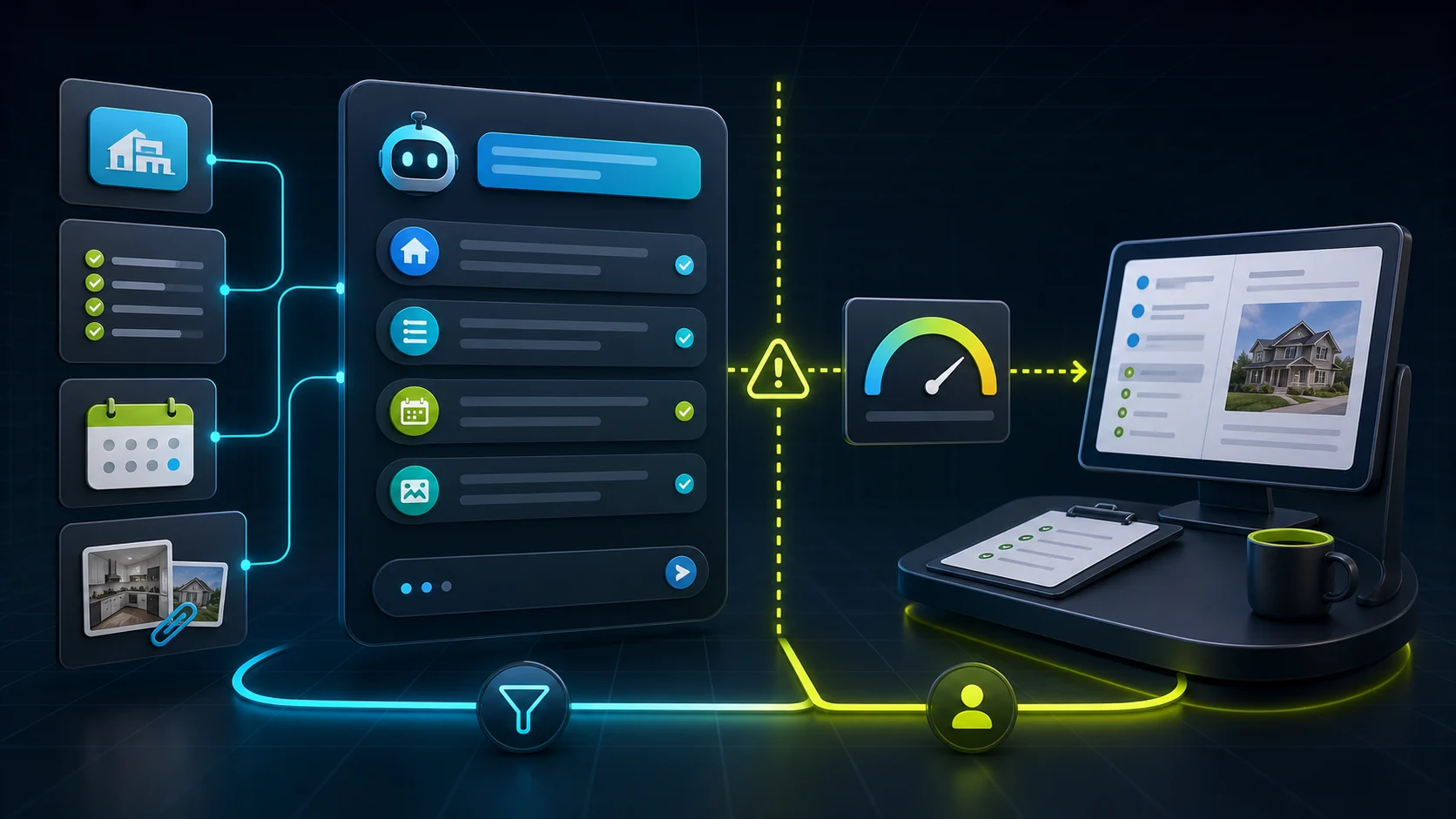
The safe flow turns a vague price question into either a clean brief or a controlled ballpark estimate.
01Visitor asks
A price question lands before the brief exists
The visitor asks for a quote, estimate, price, rate, or cost before the business has enough information to answer safely.
02Bot collects
Ask for the missing context
Capture contact details, job type, location, timing, quantity, photos or notes, service tier, urgency, and the preferred callback or booking path.
03Boundary check
Use approved rules for estimates
The chatbot can share published ranges, live prices, starting prices, minimums, packages, or calculator outputs when the source or action is approved and repeatable.
04Handoff
Send exceptions to a person or tested workflow
Final commitments, discounts, custom scope, urgent availability, safety-sensitive work, and source conflicts need an approved review path.
The visitor wants a price for a repair, cleaning, landscaping, HVAC, roofing, electrical, plumbing, or other on-site job.
Collect location, service type, urgency, photos or notes, property/job details, timing, access constraints, and callback details. Share an estimate only from an approved source or tested calculator action; do not promise dispatch or arrival time.
Published range question
The business already has public starting prices, minimums, plan ranges, or package descriptions.
Answer from the approved page or live source, explain what can change the final price, and make clear that custom cases need review.
Product or ecommerce quote
The visitor asks about bulk pricing, configuration, availability, shipping, installation, or a pre-sales package.
Collect product, quantity, variant, destination, timeline, and account context. Use live catalog data or approved pricing and availability workflows; do not let the AI invent discounts or write account records.
B2B service estimate
The visitor asks for a project estimate, implementation cost, retainer, audit, consultation, or service package.
Collect company size, current stack, timeline, scope, budget range if appropriate, decision role, and preferred next step.
Sensitive or high-risk quote
The request involves safety, security, legal, medical, insurance, hazardous work, emergency response, account billing, or an unusually angry customer.
Collect only enough context to route quickly. Escalate to the approved human path and avoid advice, diagnosis, commitments, or price promises.
Setup checklist
Write the quote rules before turning on the bot.
Write the exact quote fields the chatbot should collect: contact details, job type, location, timing, quantity, photos or notes, budget/range, and preferred callback path.
Decide where each price comes from: approved page copy, live store/catalog data, pricing table, calculator action, reviewer, or no pricing shown.
Separate public price language from controlled estimate rules: starting price, minimum, formula, range, quote required, review required, or no pricing shown.
Write the chatbot's pricing permissions in plain English: what it may show, what it must say with the estimate, and when it must hand off.
Write the estimate disclaimer in plain English: this is a ballpark based on the details provided, the chatbot may make mistakes, and the business confirms the final price.
Add service pages, pricing pages, FAQs, policies, offer pages, and quote-process copy as the approved sources.
Define the handoff destination: email, inbox, CRM, ticket, form submission, spreadsheet, booking link, Zapier/Make workflow, or named team member.
Tell the chatbot when to stop: unknown source, missing fields, custom scope, discount request, urgent deadline, safety issue, regulated work, account action, or refund/billing request.
Test transcripts before letting the bot near quote calculators, booking confirmation, CRM writes, invoices, payments, discounts, or customer-account changes.
What the chatbot should not decide alone
Safe first jobs, and what a person should keep.
Quote-request automation works best when the chatbot gathers context, reads approved pricing, uses tested calculator actions for estimates, and routes exceptions. It should not improvise custom price, availability, liability, or account-impacting actions by itself.
Safe first jobs
Collect the quote brief
Ask the missing questions one at a time: contact, job type, location, timing, quantity, photos or notes, and preferred follow-up.
Use approved price language
Share public starting prices, live catalog prices, minimums, ranges, packages, or quote-process explanations only when they come from an approved source.
Run a controlled estimate
Use a tested calculator, action, or form when the fields, formulas, exceptions, and estimate caveat are approved. Explain the result as a ballpark until the business confirms it.
Route to the right owner
Send the transcript, fields, and page context to the inbox, ticket queue, CRM, owner, estimator, or sales team that actually responds.
Suggest the next step
Offer a callback path, booking link, quote form, sales handoff, or review promise without inventing final price or availability.
Keep with a person
Firm pricing and discounts
Firm quotes, custom scope, condition-based price changes, discount approval, emergency fees, and bundle pricing need live source proof, an approved workflow, or a reviewer.
Availability and operational promises
Arrival times, dispatch, crew assignment, delivery dates, implementation timelines, and confirmed bookings need a tested workflow.
Sensitive decisions
Safety, security, legal, medical, insurance, hazardous work, billing, refunds, and account changes should route to qualified people or tightly governed systems.
Unknown or conflicting source material
If source pages disagree or the visitor asks outside the documented scope, the bot should stop and hand over the brief.
Do not automate first
Free-form AI-generated final prices, discounts, account credits, refunds, or invoices without a tested approval path.
Emergency dispatch, appointment availability, delivery dates, staffing, or crew promises without a live workflow.
Safety, medical, legal, insurance, security, hazardous-work, or regulated-service advice from the chatbot itself.
Price matching, custom contract terms, warranty decisions, or liability-sensitive promises.
CRM, booking, payment, accounting, or customer-account writes that have not been tested with real fields, permissions, and fallback rules.
Product details change. Check the current vendor docs before giving
a chatbot permission to collect quote fields, run actions, create
bookings, write to a CRM, change customer records, or show prices.
An AI chatbot can collect quote-request details and share approved starting prices, live catalog prices, minimums, ranges, quote-process language, or ballpark estimates when the business has a trusted source, tested calculator action, or fixed rule set. Firm prices, discounts, custom scope, availability, and risky promises should go to an approved workflow or reviewer.
Reviewed
Which chatbot is best for quote requests?
+
FastBots is a strong first check for simple lead and quote-request intake. Chatbase is useful when source control and lead forms or custom actions matter. Tidio fits teams that want live chat, flows, contacts, or tickets. ChatBot.com fits designed flows and visitor attributes.
Reviewed
When can a chatbot show a ballpark estimate instead of asking for the final price?
+
A ballpark estimate is safe when the inputs, formula, and caveat come from an approved source or tested calculator action and return the same answer every time. The visitor should hear what the number is based on, that the chatbot may be wrong, and that the business confirms the final price. Anything custom — non-standard scope, discount requests, urgent timing, regulated work, or account-level changes — should route to a person or a controlled workflow rather than a free-form AI guess. If the source pages disagree or the inputs are missing, stop and hand off the brief.
Reviewed
Can a FastBots chatbot ask my qualification questions before a quote lead reaches sales?
+
Yes. FastBots documents a pattern where you write the qualifying rules in plain English inside the chatbot instructions — for example, ask the visitor's budget before offering a call, or capture company size and timeline first. The bot weaves those questions into the conversation and stores the answers on the lead, so a B2B quote intake or service-tier qualifier can be authored without flow-builder work. Treat the questions as intake only; final price, dispatch, and discount approval still need a tested workflow or reviewer. See our [lead-capture capability guide](/guides/which-ai-chatbots-can-capture-leads) for how this pairs with CRM routing.
What should I test before trusting a Chatbase Custom Action to return a price?
+
Chatbase Custom Actions call an external API and pass the response back to the agent, but the docs are explicit that the request and response must be JSON-formatted and that you should test with live data from the API to make sure it is configured correctly. For quote workflows that means proving the input variables, headers, body, error handling, and 20 KB response limit work for real inputs before the agent quotes a customer. Until those tests pass, keep price answers behind approved source pages and route exceptions to the team. The [human handoff guide](/guides/which-ai-chatbots-support-human-handoff) covers the safe stopping point.