
Salon and spa buyer guide

Best AI chatbot for salons and spas: capture booking requests safely.

A salon or spa chatbot should make service enquiries easier to answer. It should not decide treatment suitability, collect deposits, enforce no-show fees, or confirm a slot until the booking workflow is proven.

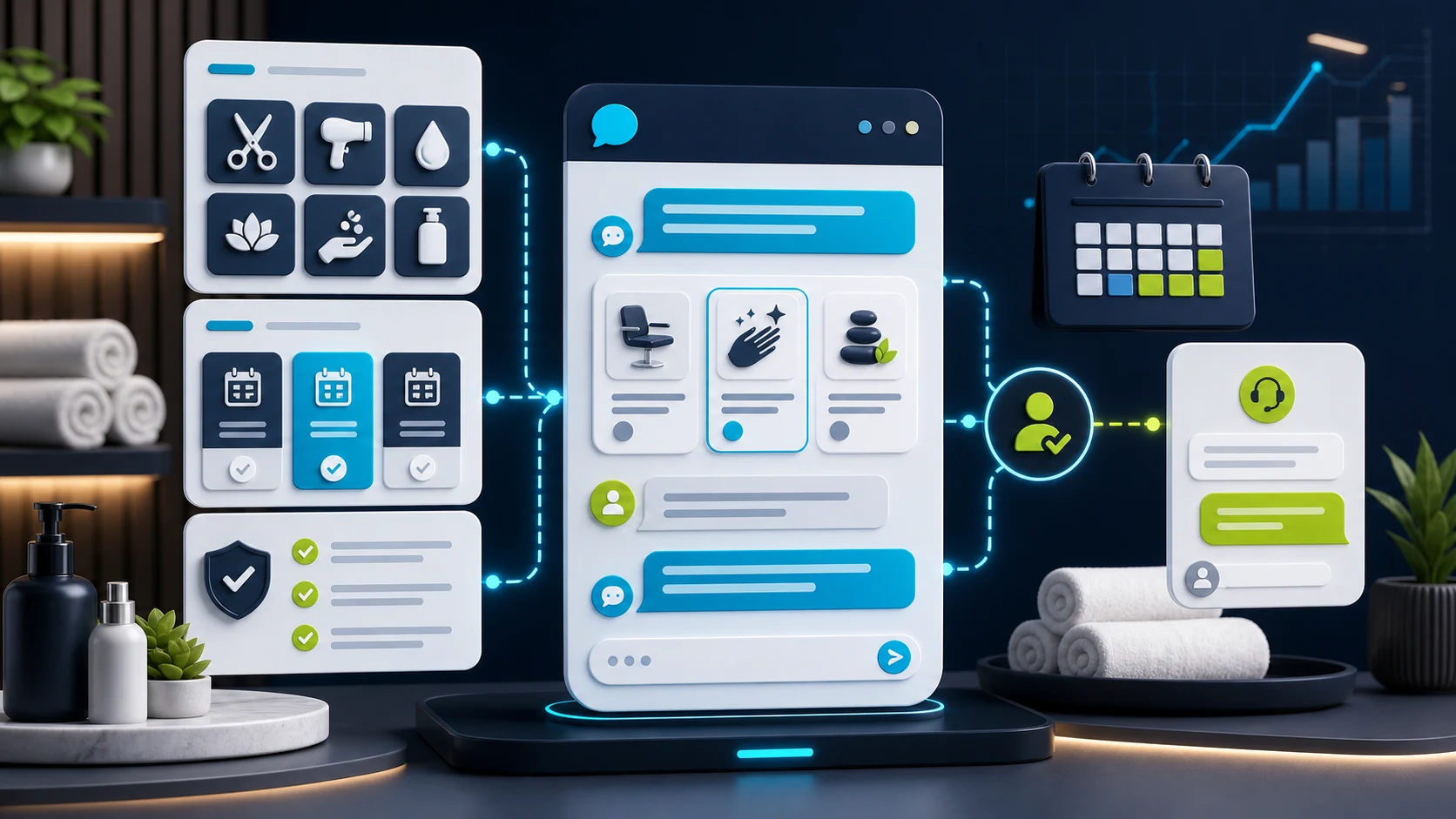
Editorial illustration of a salon and spa chatbot collecting service interest, appointment-window, policy, and human handoff details before booking confirmation.

The job in plain English

Collect the booking request before the calendar gets risky.

The visitor asks about a service, policy, practitioner, or appointment window. The chatbot gathers the request and routes it safely.

Ask for these details first

Service
Menu item, location
Window
Preferred day or time
Policy
Prep, cancellation, notes
Handoff
Reception, owner, inbox

Let the bot help with

Cleaner booking requests without turning the chatbot into salon booking software.

Needs rules or review

No treatment suitability, deposit, payment, no-show fee, POS write, client-record update, or confirmed slot.

Short answer

Start with FastBots if you want a straightforward site-trained assistant for service questions and appointment-interest capture. Look at Chatbase if approved-source control and configurable calendar actions are the main buyer question. Choose Tidio when live chat, tickets, and booking-link handoff matter. Consider ChatBot.com when you want designed intake flows and a broader support workspace.

The first win is not a bot that decides whether a facial, colour, massage, or aesthetic treatment is suitable. It is a cleaner request: service interest, location, preferred window, contact details, stylist or practitioner preference, consultation notes, and a safe handoff path.

For the calendar-specific version of this decision, read which AI chatbots can book appointments. For handoff rules before a person takes over, use the human handoff guide.

Keep the chatbot as intake and routing. Service suitability, contraindications, deposits, no-show fees, staff availability, client records, treatment notes, and payment handling need a person or a tested booking system with clear fallbacks.

Pricing snapshot

What the active shortlist costs before you trial it.

Price is still a primary filter for reception-heavy local businesses, so compare the current range and usage unit before choosing a chatbot.
Current as of 2026-05-27

FastBots

Website AI chatbot

Entry paid $33/mo annually Essential plan

Monthly: $39/mo

Includes: 2,000 message credits/mo across 2 bots; standard replies use 1 credit.

Range
$0 to $399/mo; main paid plans run $39-$199/mo
Cost driver
Message credits (1 standard reply = 1 credit; advanced models use 5-10), chatbot count, handoff, and branding gates

Check vendor pricing

Chatbase

Trainable website chatbot

Entry paid $32/mo annually Hobby plan

Includes: 500 message credits/mo, 1 AI agent, and 5 AI Actions/agent.

Range
$0 to $400/mo annually; Enterprise is custom
Cost driver
Message credits, AI agents, source limits, actions, seats, and add-ons
Check vendor pricing

Tidio

Website chat and support

Entry paid $24.17/mo Starter plan

Includes: 100 billable conversations/mo; Lyro AI is separate, with the first 50 conversations lifetime free.

Range
$24.17/mo Starter to $749/mo Plus; Premium is custom
Cost driver
Billable conversations, Lyro AI conversations, Flows visitors reached, and seats
Check vendor pricing

ChatBot.com

AI support workspace

Entry paid $19/user/mo Essential plan

Monthly: $25/user/mo

Includes: 1 AI agent, 10+ AI resolutions/mo, and 10,000+ API calls.

Range
$19-$79/user/mo annually; Enterprise is custom
Cost driver
Per-user pricing plus included AI agents, AI resolutions, API calls, and workflow allowances
Check vendor pricing

Salon and spa workflow

The bot should make reception follow-up easier.

A useful salon or spa chatbot is an intake and routing layer, not a practitioner, payment terminal, booking system, POS, or treatment record. It should separate routine service and policy questions from suitability, payment, record, and confirmation workflows that need a person or tested system.

What matters most

What matters for salons and spas

A quick read on what matters for this buying decision.
Service questions Core job
Booking requests Lead quality
Policy answers Approved copy
Source-backed FAQs Menu clarity
Human handoff Trust
Treatment or deposit promise Human review

Where it helps

Where a chatbot helps, and where it should stop.

This shows where a chatbot can help on a salon or spa website, and where a person still needs to stay close. Service FAQs, booking-request intake, policy answers, and handoff are good places to start; suitability, deposits, payments, POS writes, and client records need clearer proof.

Service FAQs

Strong

Best first use

Booking request

Strong

Useful intake

Policy answers

Strong

Approved copy

Calendar action

Useful

Test first

Human handoff

Strong

Required for risk

Payment or POS write

Careful

Proof needed

Treatment advice

Careful

Do not automate

Choose the right layer

Website chatbot, booking link, or salon system?

Booking language can blur very different jobs. Keep request intake, scheduling links, direct calendar actions, and salon/spa operations separate before choosing a tool.
01

Website layer

Website chatbot

Best for service-menu questions, hours, location, prep instructions, policy snippets, consultation notes, and appointment-request intake.
  • Service FAQs
  • Request intake
  • Policy copy
  • Callback path
02

Booking layer

Booking link or calendar action

Useful when the visitor should choose a slot through a tested scheduling link or a configured calendar action with clear fallback rules.
  • Calendly link
  • Cal.com action
  • Slot rules
03

Ops layer

Salon or spa booking system

Needed when the workflow touches deposits, no-show fees, staff assignment, client records, treatment notes, POS, payments, or reminders.
  • Deposits
  • POS
  • Client records
  • No-shows

Shortlist

Which tool should you check first?

These are current ChatbotEdge-reviewed tools that can fit salon and spa website-chatbot work. Specialist booking, POS, phone, or practice-management systems may be better if the real problem is operations rather than lead intake.

Lead capture

FastBots

Simple service intake

Start here if

Salons and spas that want a simple site-trained assistant for service-menu questions, hours, locations, policies, consultation prep, contact capture, and appointment-interest routing.

Before you choose

FastBots is best treated as service intake plus scheduling-link or human follow-up. Do not turn that into a claim of live booking, deposit handling, treatment suitability, POS writes, or client-record updates.
Check FastBots

Calendar action

Chatbase

Source plus calendar actions

Start here if

Salons and spas that want controlled answers from approved service and policy sources, plus a configurable calendar-action path to inspect.

Before you choose

Chatbase has the strongest reviewed direct calendar-action evidence through Calendly and Cal.com actions, but the salon or spa still needs to configure and test slot rules, confirmation behavior, and fallback paths.
Check Chatbase

Handoff

Tidio

Inbox and booking-link handoff

Start here if

Teams that want AI plus live chat, tickets, operating-hours behavior, and a booking-intent path that can share a Calendly-style link before a person takes over.

Before you choose

Tidio is safer to frame as inbox and booking-link handoff unless the exact salon/spa booking system workflow is tested. Keep treatment advice, deposits, payments, and client-record writes outside the chatbot.
Check Tidio

Flow design

ChatBot.com

Designed flow capture

Start here if

Larger salons or spas that want designed question flows, saved attributes, lead lists, LiveChat transfer, and a broader support workspace.

Before you choose

Designed flows can collect cleaner appointment details, but they are not proof of native salon booking, POS, payment, deposit, no-show, or treatment-record automation.
Check ChatBot.com

Booking-request flow

From service enquiry to useful handoff.

The visual goal is simple: collect enough context to help reception reply faster, then stop before the chatbot becomes a practitioner, payment terminal, booking system, or client-record writer.
01 Visitor asks

A service or appointment enquiry lands

The visitor asks about a haircut, colour, massage, facial, consultation, package, opening hours, cancellation policy, or appointment window.

02 Bot collects

Capture the booking-request brief

Ask for service interest, location, preferred window, contact details, stylist or practitioner preference, consultation notes, and callback needs.

03 Boundary check

Keep suitability and commitments human

The chatbot can answer from approved service and policy copy, but treatment suitability, deposits, no-show fees, payments, client records, and confirmed availability need proof.

04 Handoff

Route to the booking owner

The receptionist, owner, stylist, practitioner, or support inbox gets a cleaner request before any appointment, payment, or client-record commitment is made.

What the chatbot should collect

The questions that make the follow-up cleaner.

Service menu question

The visitor asks what a service includes, how long it usually takes, who it suits, or what to book first.

Answer from approved service-menu and policy content. Stop before treatment suitability, contraindications, diagnosis, or personal advice.

Appointment request

The visitor wants a haircut, colour, massage, facial, consultation, brow service, package, or callback.

Collect service interest, contact details, preferred time window, location, stylist or practitioner preference, and handoff route.

Booking-link handoff

The visitor is ready to choose a slot through a calendar or booking page the business already trusts.

Share the approved scheduling link or configured action, then set fallback rules for no availability, staff preference, timezone, reschedules, and unclear requests.

Policy and payment question

The visitor asks about deposits, cancellations, no-shows, refunds, late arrivals, packages, gift cards, or prepayment.

Answer only from approved policy snippets. Do not collect deposits, charge fees, issue refunds, or enforce no-show rules without a tested payment workflow.

Sensitive treatment request

The visitor mentions pregnancy, allergies, injectables, skin conditions, scalp issues, medication, recent procedures, pain, or medical history.

Collect only safe callback context and route to a person. Do not provide medical, aesthetic, product-safety, or suitability advice.

Setup checklist

Set the rules before the first booking rush.

Define the intake fields: service interest, location, preferred window, contact details, stylist or practitioner preference, consultation needs, and callback path.

Write approved wording for services, opening hours, locations, prep instructions, cancellation policy, late arrivals, deposits, packages, and when a consultation is required.

Add service pages, policy pages, booking instructions, location pages, preparation notes, FAQs, and pricing-range caveats as sources.

Tell the chatbot to collect context and route the request, not decide suitability, confirm availability, collect deposits, enforce no-show fees, or update client records.

Send transcripts to the receptionist, owner, practitioner, support inbox, CRM, or booking owner before any irreversible appointment, payment, or client-record action.

Test normal bookings, no availability, staff preference, reschedule requests, policy questions, sensitive treatment questions, and handoff failures before expanding automation.

Where automation needs guardrails

Good first uses, and what needs rules or review.

The safest salon or spa chatbot gathers details and answers from approved business copy. It should not decide treatment suitability, payment rules, booking confirmation, POS writes, or client-record updates.

Good first uses

Collect booking-request details

Ask for service interest, location, preferred window, contact details, staff preference, consultation needs, and callback route.

Answer approved FAQs

Use service-menu pages, policy snippets, preparation notes, opening hours, location details, pricing ranges, and approved booking instructions.

Route sensitive cases

Send treatment-sensitive, deposit/payment, cancellation, no-show, staff-specific, unavailable-slot, and client-record requests to the approved human path.

Needs rules or review

Suitability and safety

Treatment suitability, medical/aesthetic advice, allergies, injectables, pregnancy-sensitive services, skin conditions, scalp issues, and product safety need a person.

Calendar commitments

Confirmed availability, appointment duration, staff assignment, resource availability, reschedules, cancellations, and reminders need tested booking rules.

Payments and records

Deposits, no-show fees, refunds, payment capture, POS updates, consent forms, treatment notes, and client-record writes need proof and monitoring.

Do not automate first

  • Treatment suitability, medical or aesthetic advice, contraindications, allergic reactions, pregnancy-sensitive services, injectables, skin conditions, or product safety.
  • Confirmed appointment availability, appointment duration, staff assignment, room/resource availability, cancellation, reschedule, or reminder behavior without a tested workflow.
  • Deposits, payment capture, no-show fees, refunds, package balances, gift cards, or policy enforcement without payment-system proof.
  • Fresha, Square, Vagaro, POS, CRM, consent-form, treatment-note, or client-record writes unless the integration is official, tested, permissioned, and reversible.
  • Native salon/spa booking-system claims for any chatbot unless official docs and hands-on evidence support that exact workflow.

Specialist systems

When a chatbot is not enough.

If the real problem is deposits, no-show rules, staff calendars, room availability, reminders, POS, package balances, treatment notes, consent forms, or client records, a website chatbot may only solve the first step.

For this guide, we kept the shortlist to tools ChatbotEdge can describe from official sources. We do not claim those tools are native salon or spa booking, POS, payment, medical-aesthetic, or client-record systems.

A practical split: use a website chatbot to capture and qualify the enquiry; use a specialist booking, POS, phone, or operations layer when you need confirmed appointments, deposits, reminders, no-show handling, payment records, consent forms, or treatment notes.

Sources checked

What this guide is based on.

Product details change. Check the current vendor docs before giving a chatbot permission to handle booking confirmation, deposits, no-show rules, payments, POS writes, treatment notes, client records, or suitability advice.