Website visitor asks
Customer asks for a price, availability, or whether you cover their suburb.
Answer only from approved pages and ask for the missing job details.
Tradie chatbot shortlist
This is the narrower shortlist page for trade websites. For the bigger Australian playbook across AI agents, phone calls, DMs, quoting, job notes, and admin, read the Ultimate Guide to AI for Tradies.
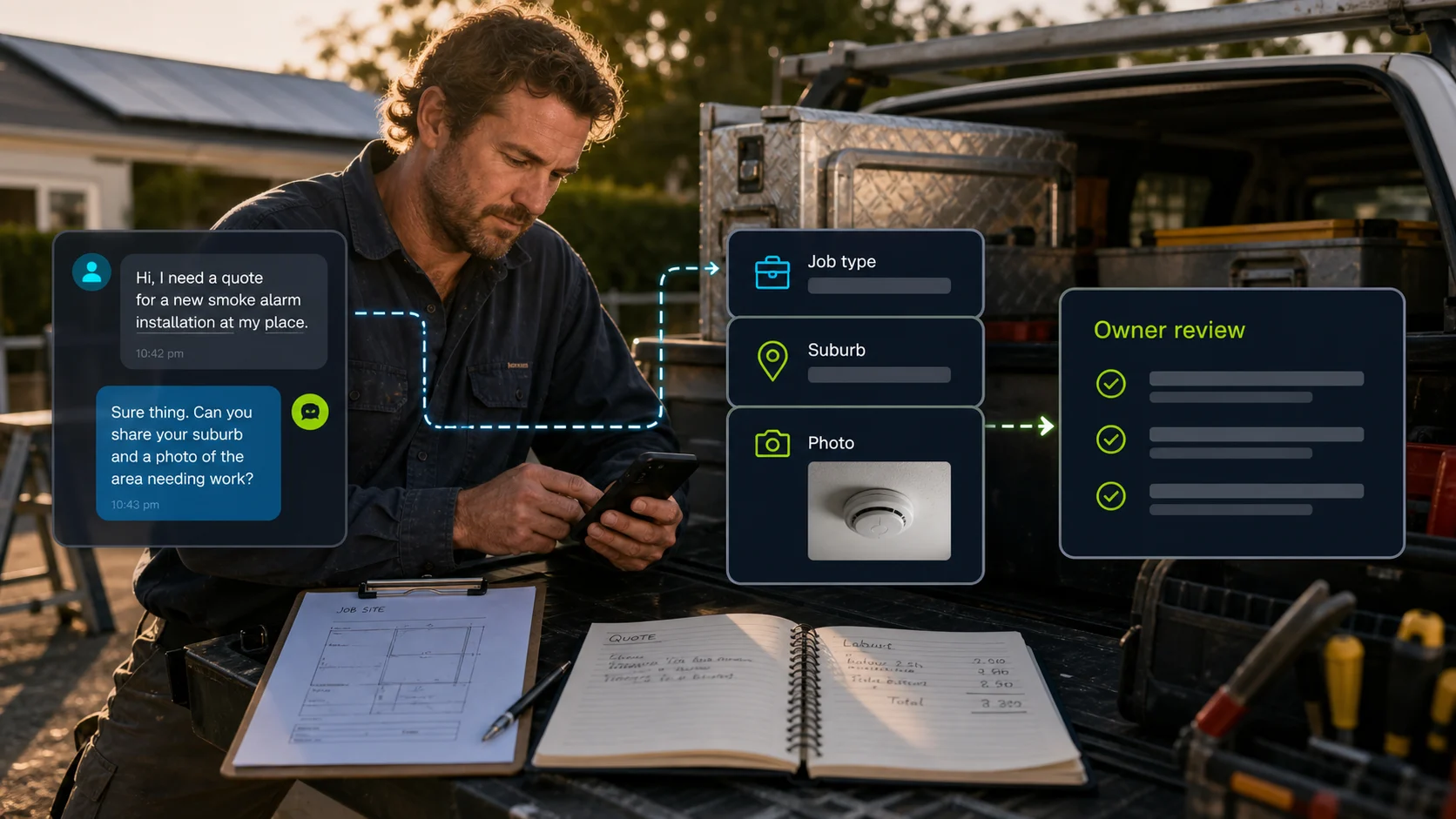
For most tradies, the first useful website chatbot is not an autonomous quote machine. It is a better intake assistant: it answers the repeat questions from your site, asks for the details you normally chase by text, and sends a clean brief to the owner, office, or dispatcher.
Start with FastBots if you want the quickest trained website lead path, inspect Chatbase if source control matters, use Tidio if live chat handoff is part of the job, and inspect ChatBot.com when you need a designed quote-intake flow.
Best fit matrix
A plumber in Brisbane, a sparkie on Sydney's Northern Beaches, and a roofer in Melbourne do not need the same first chatbot. Pick the workflow you are actually trying to fix.
| If the problem is | Inspect first | What it should collect |
|---|---|---|
| Missed website leads | FastBots | Ask suburb, job type, urgency, photos, access, and callback window. |
| Messy service questions | Chatbase | Answer from current service pages, warranty notes, terms, and approved FAQs. |
| Owner/admin wants to jump in | Tidio | Let AI answer first, then route to a person before price, warranty, or complaint handling. |
| Quote flow needs fixed fields | ChatBot.com | Use a designed flow so every enquiry lands with the same required fields. |
| Emergency or same-day work | Phone-first path | Use chat only as backup intake; tell the customer when to call. |
| Social DMs or WhatsApp leads | Read the ultimate guide | A website chatbot shortlist is not enough when the channel is Instagram, Facebook, or WhatsApp. |
Tradie workflow
That distinction matters in Australia, where suburb, access, strata, parking, travel, safety, and weather can change the job quickly. A vague "How much for a power point in Manly?" should become a brief, not a made-up quote.
Customer asks for a price, availability, or whether you cover their suburb.
Answer only from approved pages and ask for the missing job details.
Suburb, job type, urgency, photos, access, property type, and callback details.
Send the structured brief to the owner, office, or job-management workflow.
Price, availability, arrival window, parts, safety, and scope still need review.
The chatbot should prepare the job, not commit the business.
Quote, booking, reminder, invoice, and job note tasks move through the real system.
Only automate these after the exact workflow has been tested.
Four options
Website lead intake
Best for: Trade websites that need a simple site-trained assistant to answer service questions and collect a cleaner quote brief.
Not for: Final prices, dispatch promises, or live calendar commitments without review.
Check FastBotsSource-controlled answers
Best for: Tradies with service pages, FAQs, warranty wording, and policy notes they want the bot to answer from carefully.
Not for: Thin websites with little approved content or jobs where the bot must make field-service decisions.
Check ChatbaseAI plus live chat
Best for: Teams that want AI, live chat, inbox ownership, and human handoff in one support surface.
Not for: Solo operators who will not check the inbox or manage escalations.
Check TidioDesigned quote flows
Best for: Businesses that want structured questions, saved visitor fields, and workflow handoff around a planned conversation.
Not for: A lightweight FAQ widget where a simpler trained assistant would do.
Check ChatBot.comPricing snapshot
Website AI chatbot
Monthly: $39/mo
Includes: 2,000 message credits/mo across 2 bots; standard replies use 1 credit.
Trainable website chatbot
Includes: 500 message credits/mo, 1 AI agent, and 5 AI Actions/agent.
Website chat and support
Includes: 100 billable conversations/mo; Lyro AI is separate, with the first 50 conversations lifetime free.
AI support workspace
Monthly: $25/user/mo
Includes: 1 AI agent, 10 AI resolutions/mo, and 10,000 API calls.
Human boundary
Keep final prices, arrival promises, dispatch decisions, safety advice, refunds, warranty calls, invoices, and unusual access or compliance issues with a person until the exact workflow is tested.

Flagship guide
The full guide covers more than chat widgets: AI agents, phone leads, WhatsApp/social DMs, job notes, quote prep, ServiceM8/Tradify/Xero handoff, suburb-specific examples across Sydney, Brisbane, Gold Coast, and Melbourne, and a staged rollout plan.
Read the Ultimate Guide to AI for TradiesDecision recap