Intake layer
Collect the appointment request
Good first use for every tool in this guide: ask what the visitor needs, collect contact details, qualify the request, and route the brief.- Name
- Need
- Preferred window
Appointment booking
Some chatbots can collect a request, some can share a booking link, and some document calendar actions. Check which job you are buying before you promise a confirmed slot.
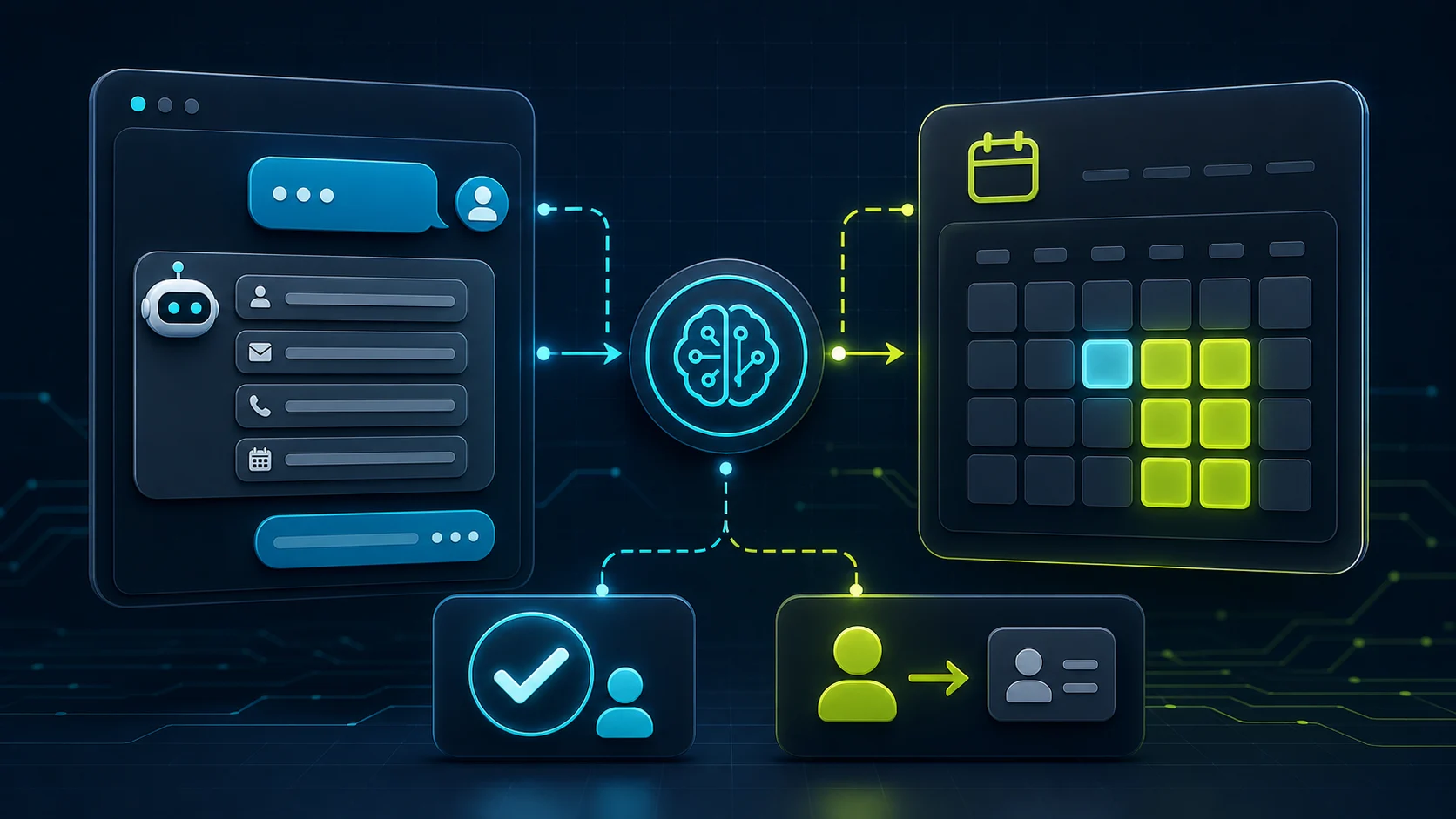
What the visitor needs
What the chatbot should collect
Safe for the chatbot
A cleaner booking request without pretending every chatbot can safely own the calendar.Needs a person or approved process
No invented availability, dispatch promise, deposit, customer-record write, reschedule, cancellation, regulated advice, or emergency triage.Start with Chatbase if the buyer question is direct calendar action: its docs cover Calendly and Cal.com actions. Choose Tidio when you want Lyro to detect booking intent and provide a Calendly link inside a broader support workflow.
Use FastBots when the practical job is appointment interest capture: qualify the visitor, collect contact details, drop in a scheduling link, and route the brief. Use ChatBot.com when you want designed appointment-request flows, saved attributes, lead lists, LiveChat transfer, and tickets rather than a proven native calendar booking action.
The safe rule: booking interest is not confirmed availability. Direct booking, rescheduling, cancellations, deposits, dispatch, customer records, and regulated appointments need current docs plus a live workflow test before the chatbot is trusted.
Booking workflow
Most buyer confusion comes from treating "booking" as one feature. A chatbot that collects a request, a chatbot that offers a Calendly link, and a chatbot that books against live calendar availability are different risk levels.
What matters most
Capability layers
Intake layer
Scheduling layer
Operations layer
Shortlist
Clearest calendar-action docs
Direct calendar actions to inspect first
Start here if
Teams that want answers grounded in approved content plus documented Calendly or Cal.com actions that can show available slots and support appointment booking inside the AI-agent workflow.Before you choose
The docs support calendar actions, but you still need to test the exact event, timezone, reschedule path, lead fields, and what happens when no slot is available. Check current AI Action limits before buying.Strong link-based booking path
Calendly link handoff with support workflow
Start here if
Businesses already using Tidio or Lyro for live chat, tickets, contacts, and support workflows that want the bot to offer a Calendly booking link when visitors ask for a call.Before you choose
Tidio's public pages support the Calendly path, but account access can still depend on the current package and Action setup. Verify plan access before treating booking as included.Good simple-site path
Lead qualification plus scheduling link
Start here if
Small websites that mainly need the chatbot to qualify the visitor, collect contact details, share a scheduling link at the right moment, and send the brief to the team or CRM.Before you choose
FastBots is best framed as appointment intake and scheduling-link handoff, not a direct calendar-booking engine. Confirm live chat, Zapier/Make, and lead routing on the plan you choose.Good flow capture
Designed intake and human transfer
Start here if
Teams that want designed question flows, saved attributes, Add to leads lists, LiveChat transfer, transcripts, tickets, and a broader support workspace around appointment requests.Before you choose
The reviewed docs support structured intake and human transfer. They do not document a native appointment-booking action in the way Chatbase or Tidio document calendar paths.Booking request flow
The visitor asks for a demo, call, consultation, showing, appointment, service visit, or callback instead of filling out a static form.
Capture name, email, phone if needed, service type, location or timezone, preferred date window, urgency, and any qualification details the team needs before accepting the meeting.
Some tools document calendar actions. Others are safer as scheduling-link or callback workflows. The distinction matters before you promise a confirmed slot.
Urgent, regulated, high-value, unavailable, or unusual requests should become an agent-ready brief rather than an improvised booking promise.
Use cases
Visitor wants to book a call after reading pricing, services, or a comparison page.
Chatbase or Tidio first; FastBots if a scheduling link plus lead brief is enough.
Do not let the bot promise availability, custom pricing, or sales terms it cannot verify.
Visitor wants a repair visit, quote visit, inspection, estimate, or callback.
FastBots for simple lead capture; Tidio or ChatBot.com when live handoff and inbox ownership matter.
Do not promise dispatch, arrival time, emergency response, price, deposits, or technician assignment without a tested workflow.
Buyer wants to tour a property or talk to an agent.
Treat the chatbot as showing-request intake unless the exact calendar and CRM workflow has been tested.
Do not confirm availability, live listing status, agent commitments, or client-record writes from public docs alone.
Visitor asks for a service appointment, availability, staff member, or treatment slot.
Use booking handoff wording until treatment, calendar, deposit, cancellation, and customer-record behavior is proven.
Do not give treatment advice, medical claims, deposit promises, or confirmed bookings without current docs and a tested workflow.
Visitor asks for legal, financial, healthcare, insurance, safety, security, or urgent help.
Collect only enough context to route the request quickly to the approved human path.
Do not triage, advise, diagnose, approve, or confirm appointments where the risk belongs to a qualified person.
Plan fit
Pricing pages change, and booking features often depend on actions, integrations, workflow limits, live chat, seats, or usage units. Do not buy from a feature headline alone.
Calendar actions, AI Action limits, enabled actions per agent, event setup, and whether the buyer needs Calendly or Cal.com.
Best public direct-booking documentation checked for this guide, but still not a hands-on booking test.
Lyro Actions access, Calendly template access, whether the account sees it as all plans, Plus/Premium, or selected Lyro AI Agent package access.
Because official pages use different availability wording, buyers should verify plan access before paying for booking.
Lead fields, scheduling-link language, live chat on Business and above, Zapier/Make handoff, message credits, and CRM routing.
Strong for appointment interest capture, but the public docs support link handoff rather than direct calendar booking.
Question actions, saved attributes, Add to leads, LiveChat transfer, transcripts, tickets, workflow allowances, and AI-resolution usage.
Useful for designed intake and support handoff; do not treat it as a native booking tool without separate documentation.
Setup checklist
Define the booking type: demo, sales call, consultation, estimate visit, showing request, service visit, callback, class, or support appointment.
List the fields the chatbot must collect before any calendar step: contact details, location or timezone, service type, preferred window, urgency, qualification details, and consent where needed.
Decide whether the chatbot may directly book, only share a scheduling link, or only collect a request for human follow-up.
Map unavailable slots, out-of-area requests, urgent requests, cancellation rules, no-shows, reschedules, deposits, and high-risk requests to fallback paths.
Check the plan gate for actions, live chat, workflows, tickets, API access, AI resolutions, message credits, team seats, and branding removal before buying.
Run one test for a normal booking request, one for no availability, one for a reschedule request, and one for a request the bot should refuse or hand off.
What the chatbot should not decide alone
Collect the reason for the appointment, contact details, preferred window, timezone, service area, and qualification notes.
Offer a Calendly, Cal.com, booking, or callback link when the business is comfortable letting the visitor choose the slot.
Use direct calendar actions only after the event, slot rules, timezone, fallback message, and confirmation behavior have been tested.
Send the transcript, visitor details, and booking context to the owner, sales team, support inbox, helpdesk, or CRM owner.
Dispatch, arrival time, staff assignment, showing confirmation, urgent response, and service availability should not be invented.
Payments, deposits, cancellation fees, refunds, invoices, CRM writes, and account updates need explicit workflow confirmation.
Medical, legal, financial, safety, security, insurance, emergency, and regulated cases should route quickly to a qualified person.
No available slots, timezone mismatches, reschedules, double bookings, wrong event types, and staff-specific requests need fallbacks.
Related guides
Official pages checked
Product details and plan gates change. Check the current vendor docs before letting a chatbot book, reschedule, cancel, collect deposits, write to a CRM, or promise availability. Tidio's help-center action template access can vary by account and package, so verify Action access in your account before buying.
FAQ
Some chatbots can collect appointment requests and share booking links. Confirmed availability, calendar updates, deposits, reschedules, and reminders depend on a tested calendar action or workflow, not the chatbot alone.
Reviewed
No. A Calendly or scheduling link hands off to a separate booking page. A booked appointment requires the visitor to complete the scheduler flow, and the chatbot has no confirmation unless a downstream integration reports back.
Reviewed
FastBots is best framed as appointment-interest capture plus scheduling-link handoff, not a direct calendar engine. The official lead-generation page describes the bot qualifying visitors and routing them, with live chat takeover sitting on a paid plan tier: "On Business plan and above, the bot can offer live chat for the bigger fish (enterprise enquiries, complex deals) so a rep takes over inside the same conversation rather than scheduling a callback." For confirmed slots you still need a Calendly or Cal.com link in the conversation and downstream booking on that scheduler's page. Compare with the Chatbase Calendly action in the same guide before you commit to a confirmed time.
Reviewed · Sourced from FastBots lead generation use case
Chatbase 's Calendly action is documented as a connected integration where the bot picks a configured event and can return slot information. The docs say: "In order to create this action, you would first need to integrate with your Calendly account. Once connected go to the Actions tab and select the" Calendly action, then "select the Event from the dropdown that you want your Agent to use for bookings." That is closer to a direct calendar action than a static link drop. You still need to test reschedule, no-availability, and confirmation paths before you commit to a booked slot. See the appointment-booking guide above and the /guides/which-ai-chatbots-support-human-handoff page for fallback patterns.
Reviewed · Sourced from Chatbase Calendly action docs
Treat deposits, reminder cadence, and reschedules as separate workflows that live in the calendar, payment, or CRM tool, not in the chatbot. The chatbot can collect the appointment request, share a scheduling link, and confirm what was attempted. The actual deposit charge, the reminder email or SMS schedule, the no-show rule, and the reschedule flow depend on the booking platform's settings or a connected automation. A safe rule for the listing pages on /guides/which-ai-chatbots-can-book-appointments is: if the booking platform cannot prove the rule, the chatbot should not promise it.
Reviewed
Decision recap