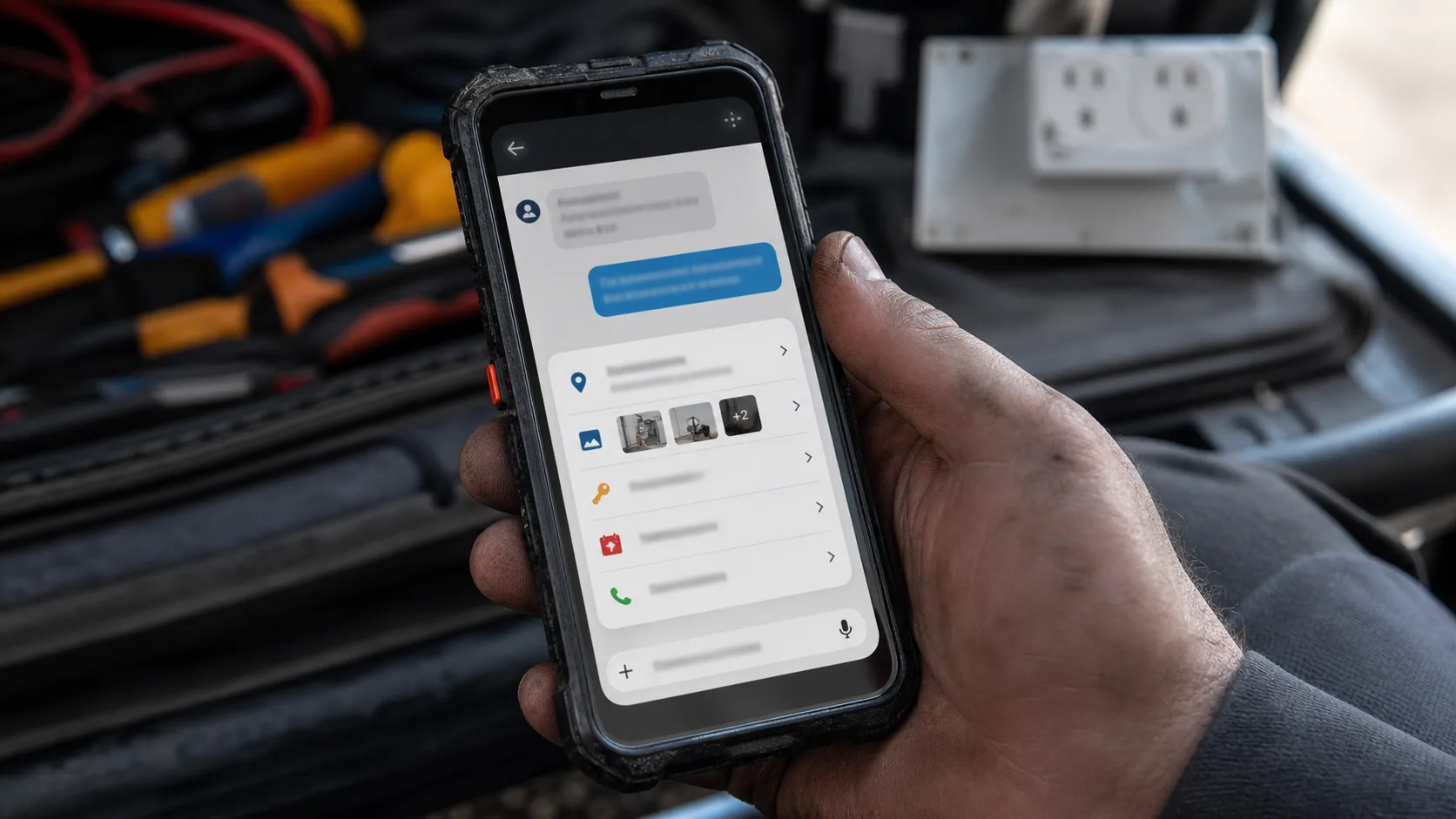
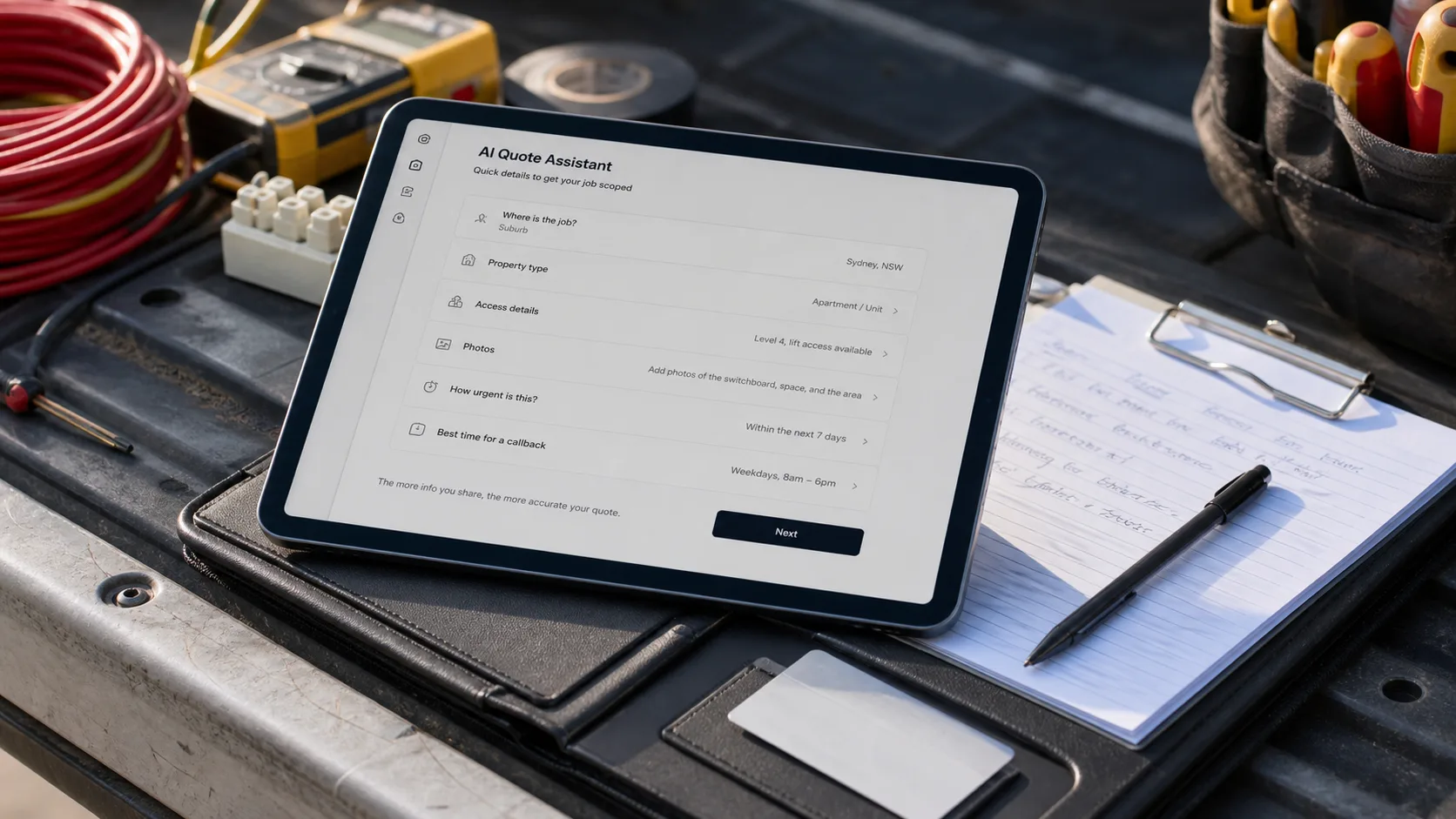
Australian tradies reviewing a job-intake tablet beside an open work ute on a suburban street.

Australian tradie AI playbook

The Ultimate Guide to AI for Tradies.

What AI can actually do for your trade business — catch leads, confirm bookings, tidy job notes, and plug into your job system. With step-by-step setup, the easiest job first, and the Australian rules you need to watch.

Next review
September 7, 2026
Read
22 min
Evidence
Vendor docs + Australian government sources + intake walkthrough

Four jobs

The four jobs AI can do for a tradie business — easiest to hardest.

Most tradies don't need an AI strategy. They need fewer dropped balls. Four jobs cover almost everything useful. Start with the first one. Add the next only once the previous one's working.

Catch
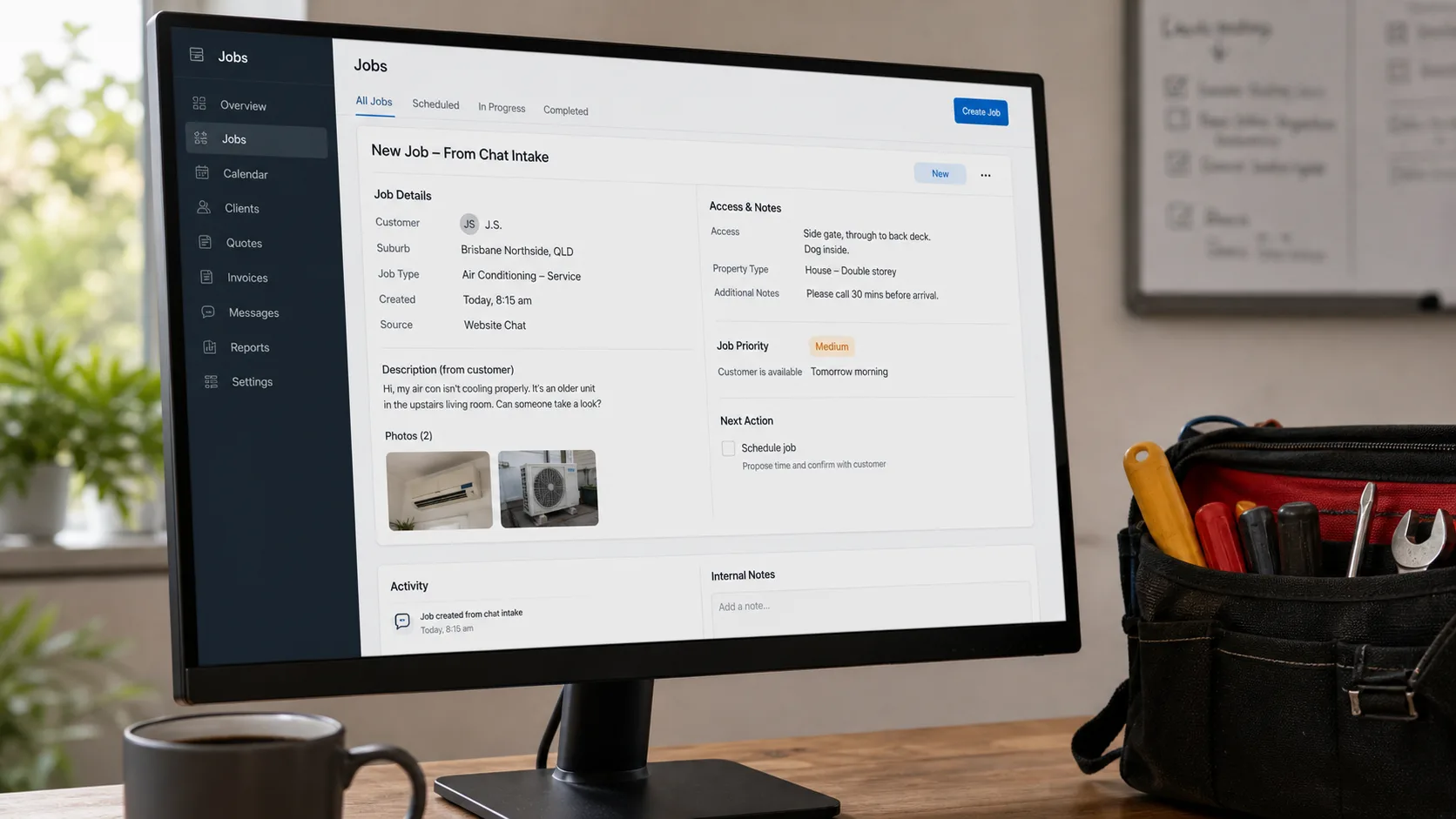
The bot catches the lead while you're on the tools. Suburb, urgency, photos, access — all in before you call back.
Confirm
The bot drafts the booking SMS or arrival window. You read it, you send it. No bot-invented prices or times go to the customer.
Tidy
Rough job notes from the day become a clean run sheet, parts list, or follow-up draft. The paperwork stops eating the evening.
Plug in
Once the first three work, the bot can push briefs into ServiceM8, Tradify, Xero, or a CRM. Save this one for last.

Start here

Most tradies don't need AI strategy. They need fewer dropped balls.

The useful version of AI for tradies is plain. Catch the lead while you're on the tools. Ask the questions you always chase later. Send a clean brief to the right person. Turn rough job notes into admin that doesn't eat the evening.

The trap is letting the bot sound clever where trust is fragile. A customer will forgive an extra photo request. They won't forgive a made-up price, a missed arrival, or bad safety advice. So this guide does it in four steps — easiest first. Skip the framework if you want. Go straight to Job 1.

Disclosure: some outbound links may be affiliate links. We may earn a commission, but that does not change which tools we recommend. Learn more.

If you've got 2 hours this weekend

Do these six things on Saturday morning. Catch your first after-hours lead by Sunday night.

The rest of this guide goes deep on four jobs AI can do for your business. If you just want the fastest useful win, do this list. The whole thing fits in one Saturday morning before the first job — coffee in one hand, phone in the other.

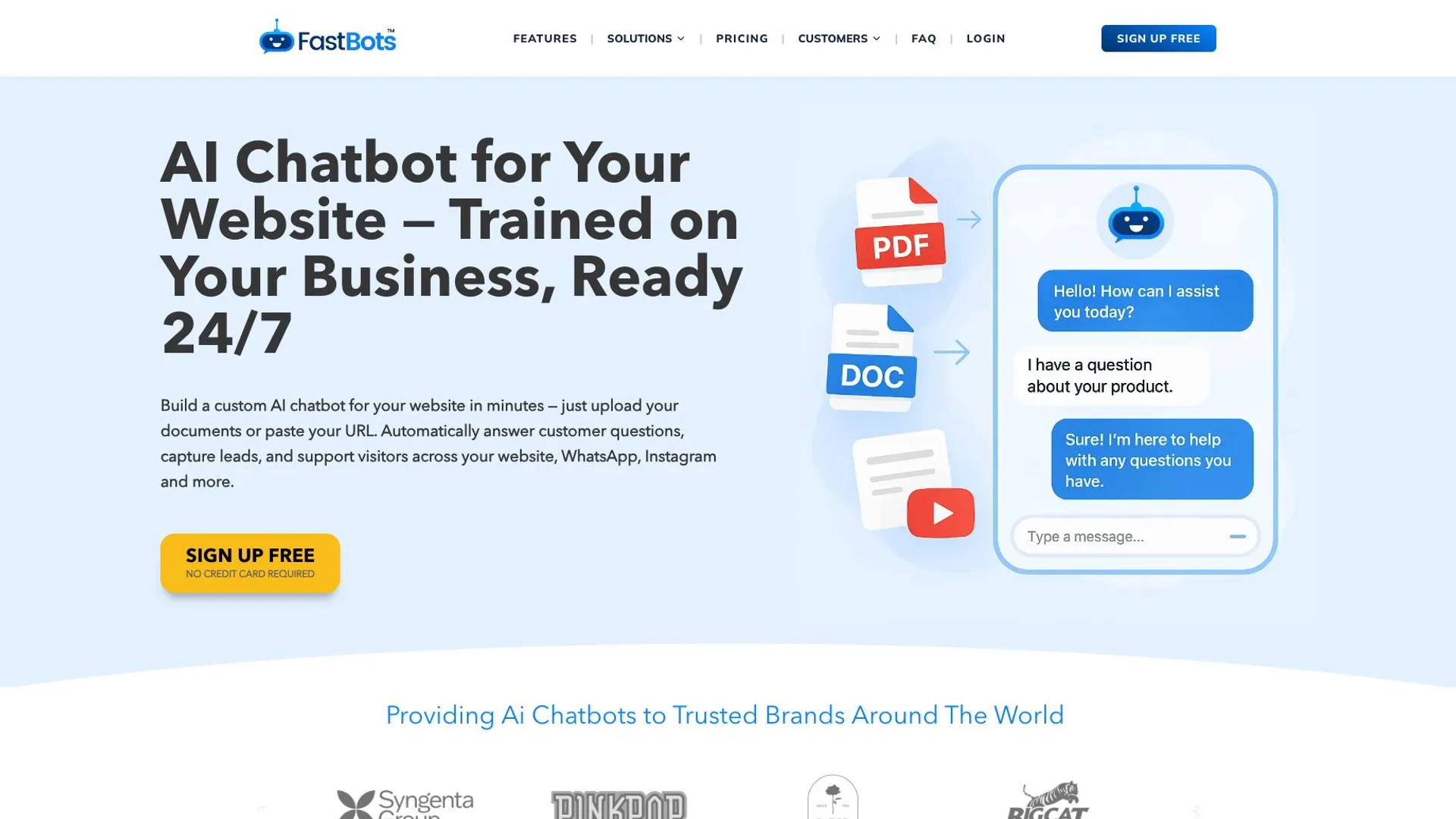
  1. Sign up for a FastBots free trial. fastbots.ai — no credit card needed.
  2. Paste your website URL into FastBots. It learns your service pages.
  3. Add six intake questions: suburb, type of job, urgency, photos, callback time, phone.
  4. Paste one rule into the bot's instructions box: "Never give a final price. For emergencies, give the phone number."
  5. Copy the embed code. Paste it into your website (WordPress plugin, Wix custom code, or Squarespace footer — see Job 1 below for the click path).
  6. Send 20 test enquiries from your phone before bed Saturday. If 18 of 20 come through clean, you're live by Sunday.

That's the fastest version. Job 1 below walks each step with screenshots and the exact six questions to use.

Four jobs, ranked

What AI can actually do for your trade business.

Four jobs cover almost everything useful. They go from easiest (catch leads after hours) to hardest (plug into ServiceM8). Each one has a setup guide further down. Start with Job 1. Don't skip ahead.

  1. Job 01

    Easy Setup: 2 hours Tool: FastBots

    Catch the lead while you're on the tools

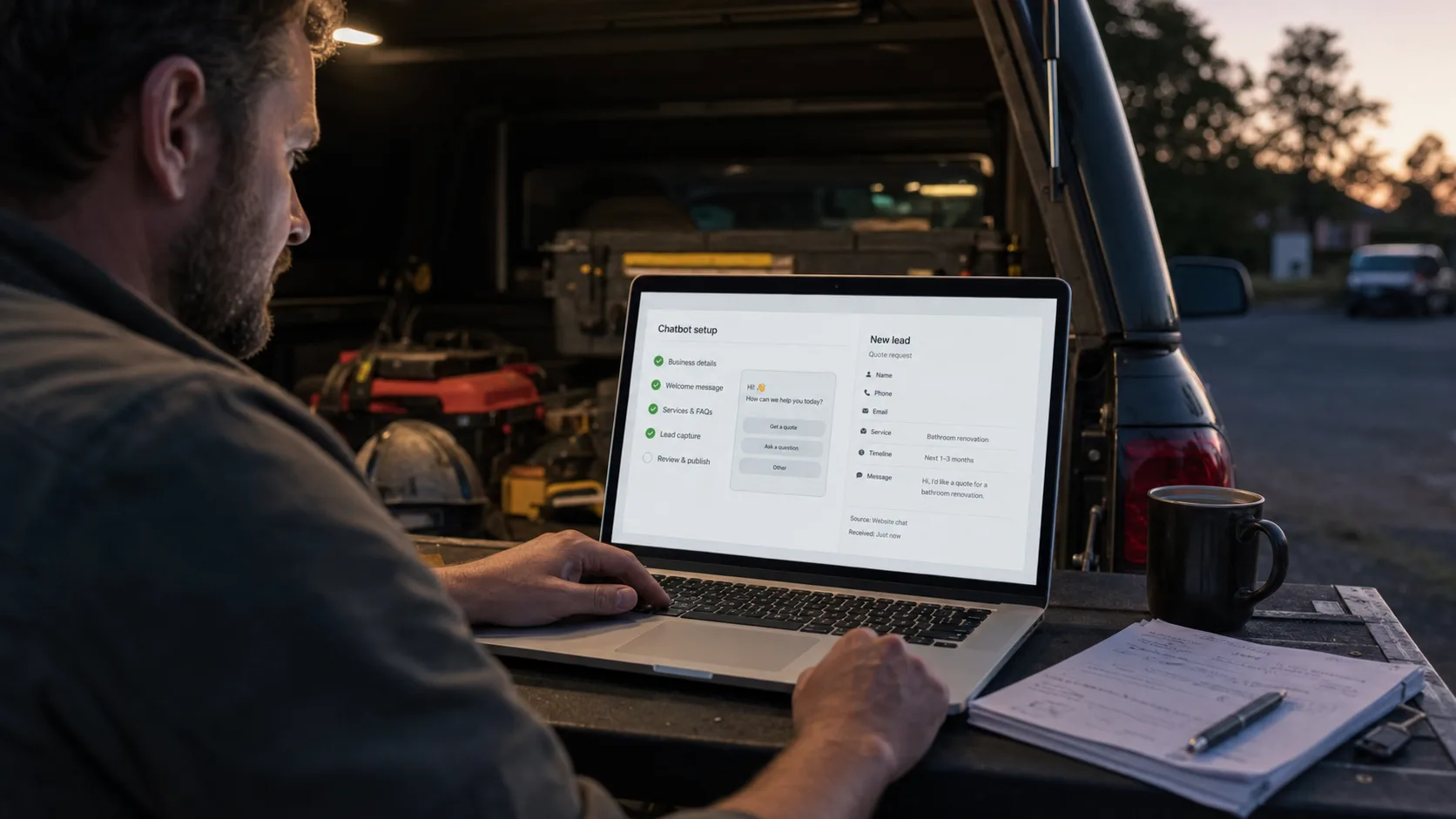
    Your site picks up the after-hours quote requests and asks the six questions you'd normally chase.

    How to set this up →
  2. Job 02

    Easy Setup: 1 hour Tool: Built-in template + AI draft

    Send booking confirms that sound human

    The bot drafts the SMS or email. You eyeball it. You send it. No-shows drop.

    How to set this up →
  3. Job 03

    Easy Setup: 30 mins Tool: ChatGPT or Claude

    Tidy rough job notes into admin

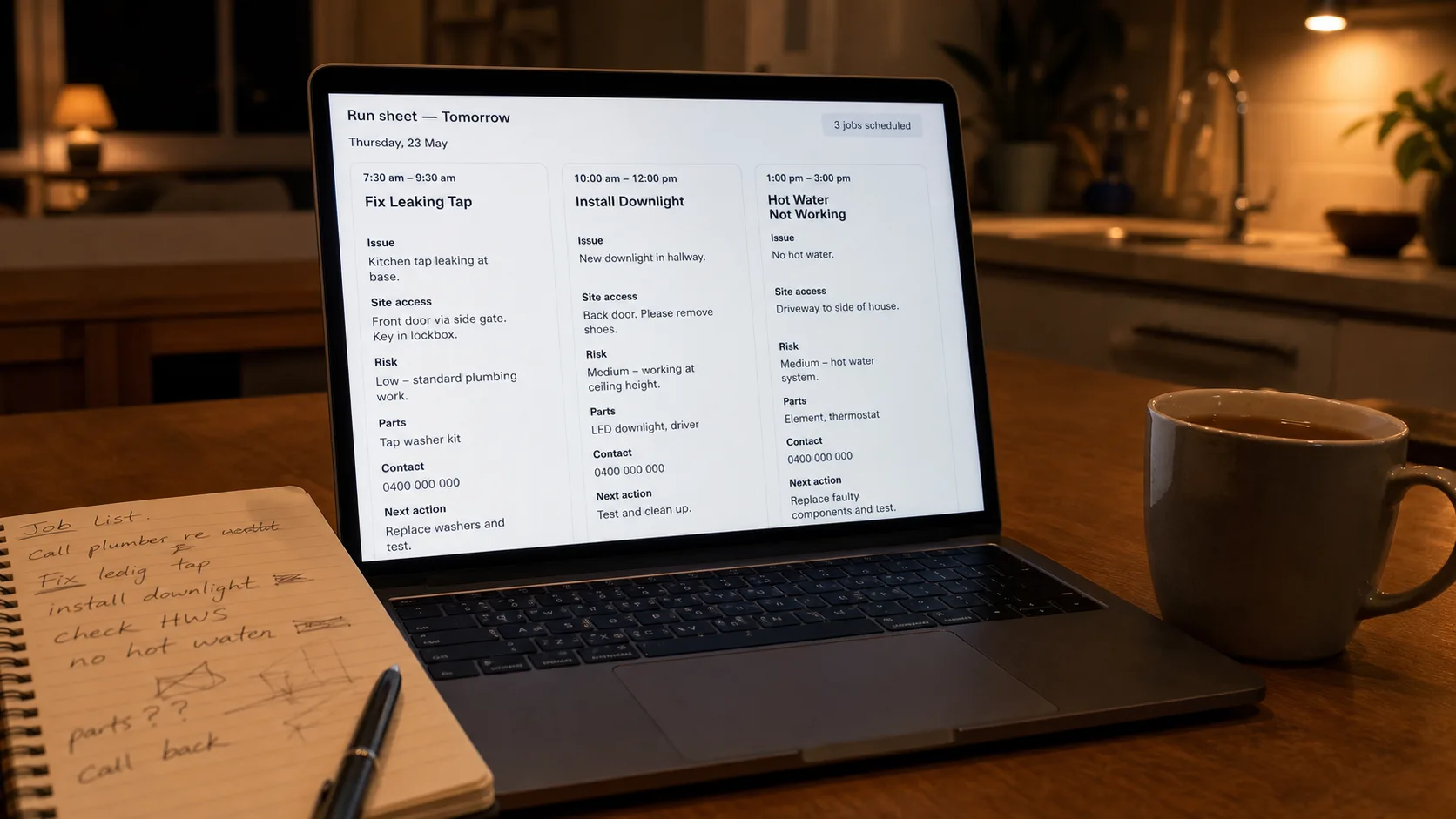
    Dictate the day's notes. AI turns them into a clean run sheet with the same six headings every time.

    How to set this up →
  4. Job 04

    Hard Setup: 1–2 weeks Tool: Zapier or Make

    Plug into ServiceM8, Tradify, or Xero

    Wires the bot to your job system. Powerful, but the layer that loses you money if you build it first.

    How to set this up →

Job 1 of 4 — Easy — 2 hours

Catch leads after hours.

You're under a sink. The customer hits your website. They want a quote. Without a bot, you find out tomorrow — if they didn't ring the next sparkie. With a bot, the brief lands clean before you're back in the ute.

The fix is six questions and one rule: the bot never names a price. Here's how to set it up in FastBots in about two hours.

The six questions to ask.

Don't add more than six. Tradies have answered these before. Anything past six is where customers tap out.

  1. What suburb are you in?
  2. Is this a quote, a repair, or an emergency?
  3. What does the job involve? (One line is fine.)
  4. Can you send 2-3 photos?
  5. Best time to call you back?
  6. Phone number.

The boundary line — copy this into the bot.

Paste this into the bot's "instructions" or "system prompt" field. It's the rule that keeps the bot out of trouble.

Never give a final price. Ask for photos and access details. For emergencies, give the customer the phone number and stop chatting. Don't promise an arrival time — say someone will call back.

Step by step in FastBots.

About two hours start to finish. You don't need a web developer for steps 1-5.

  1. Step 1 of 8

    Sign up at FastBots

    Go to fastbots.ai. Free trial. No credit card.

    Open FastBots — free trial →
  2. Step 2 of 8

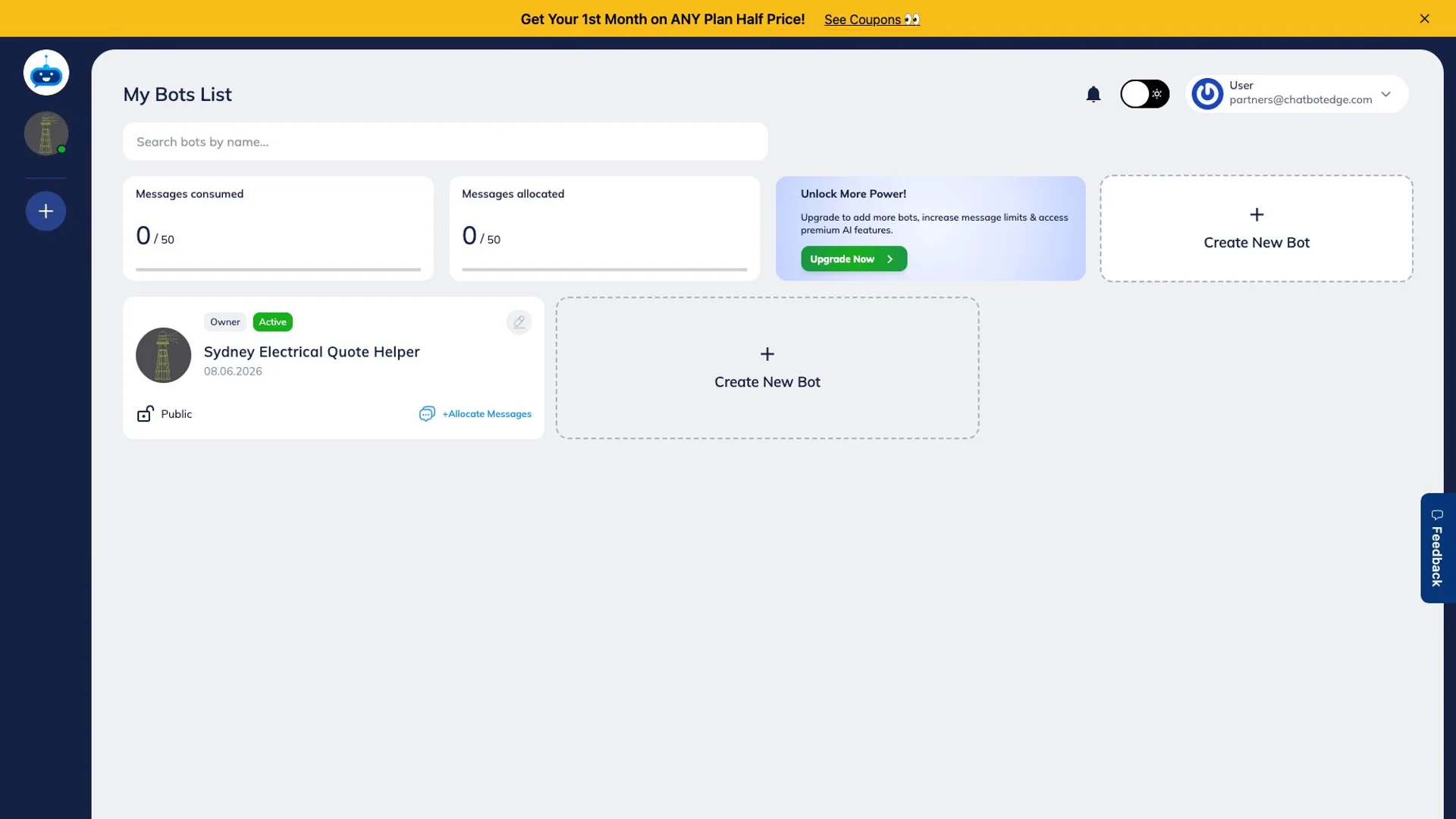
    Create a new bot

    Once you're logged in, hit the create button. Name it after your business.

  3. Step 3 of 8

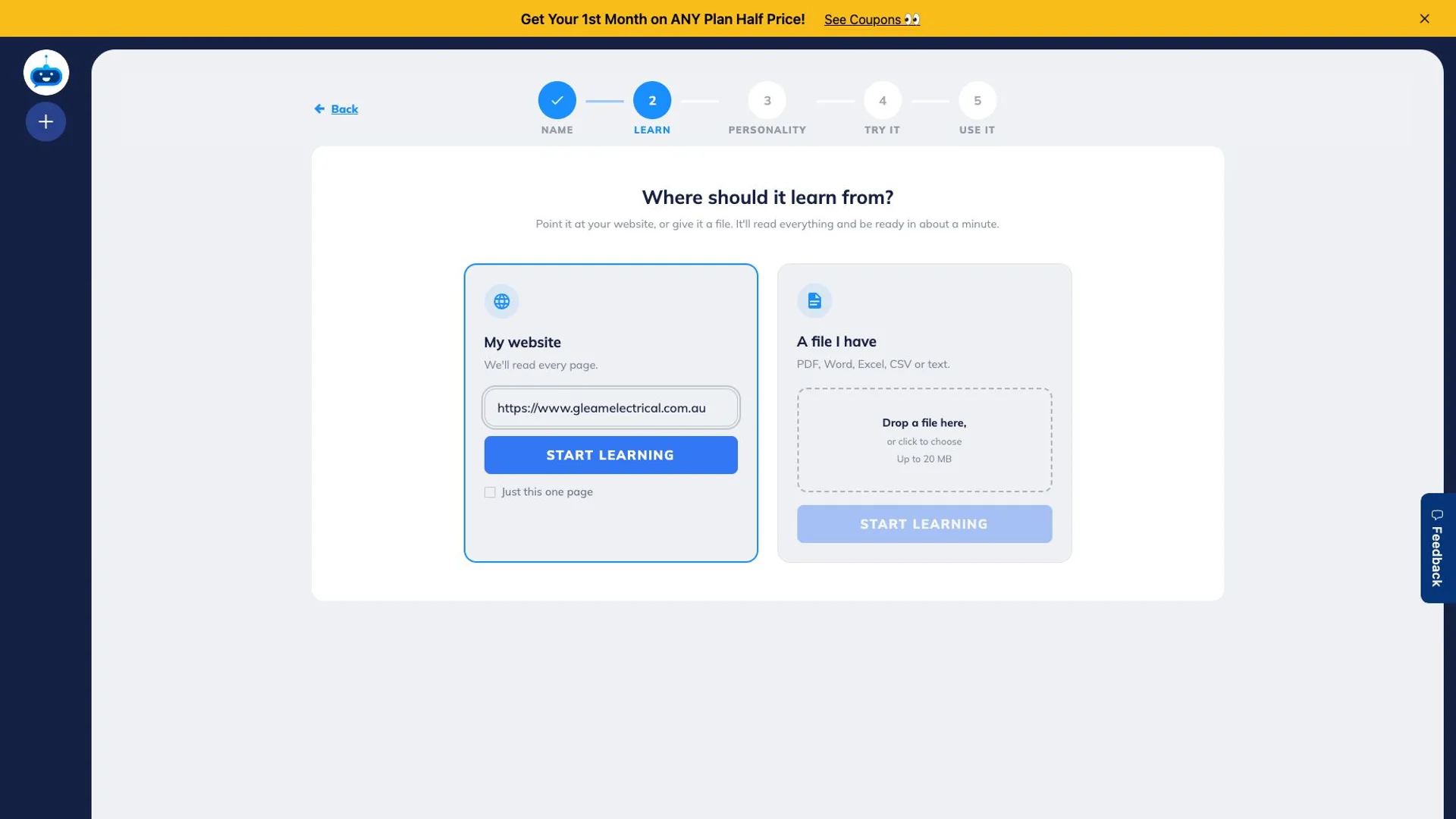
    Paste your website URL

    The bot learns from your site. Paste your URL. FastBots will crawl your service pages, FAQs, and call-out policy.

  4. Step 4 of 8

    Add the intake behaviour in Tune AI

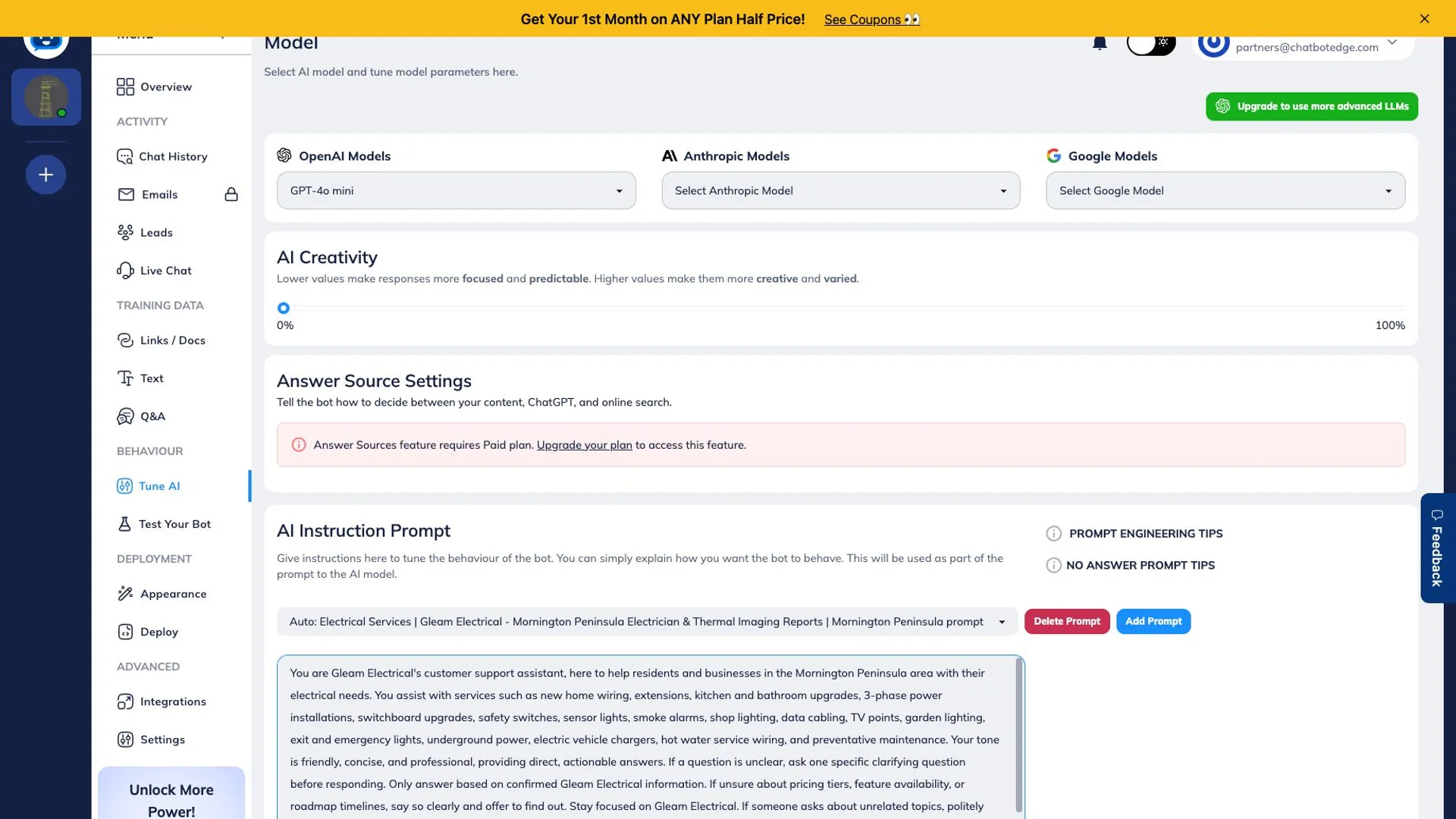
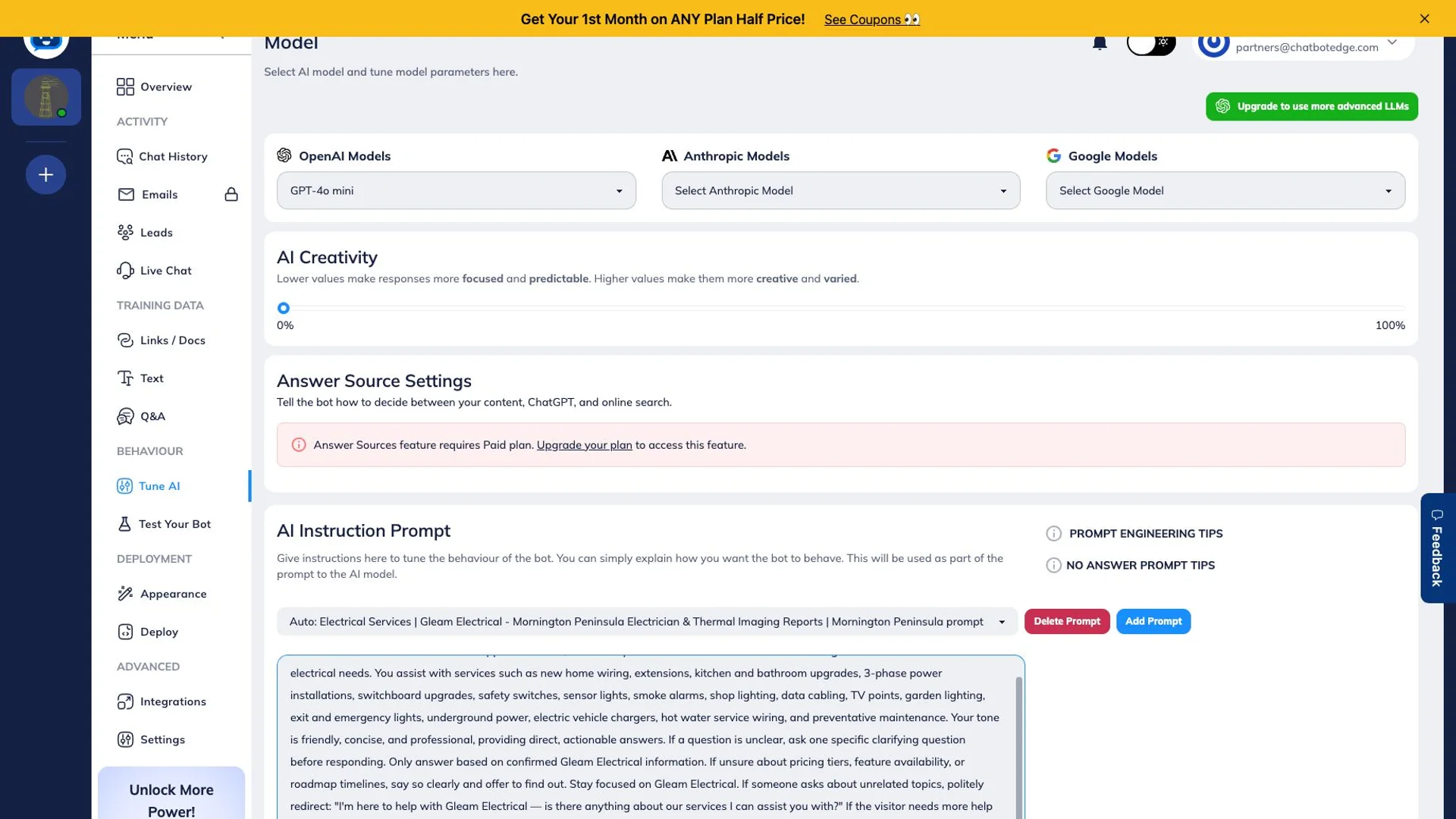
    In Behaviour > Tune AI, tell the bot to collect the six details below before it hands off. Don't put this in Q&A — Q&A is for prepared answers to customer questions.

  5. Step 5 of 8

    Set the boundaries in Tune AI

    In the same AI Instruction Prompt, tell the bot what NOT to do. This is where price, emergency, photo, and callback rules belong.

  6. Step 6 of 8

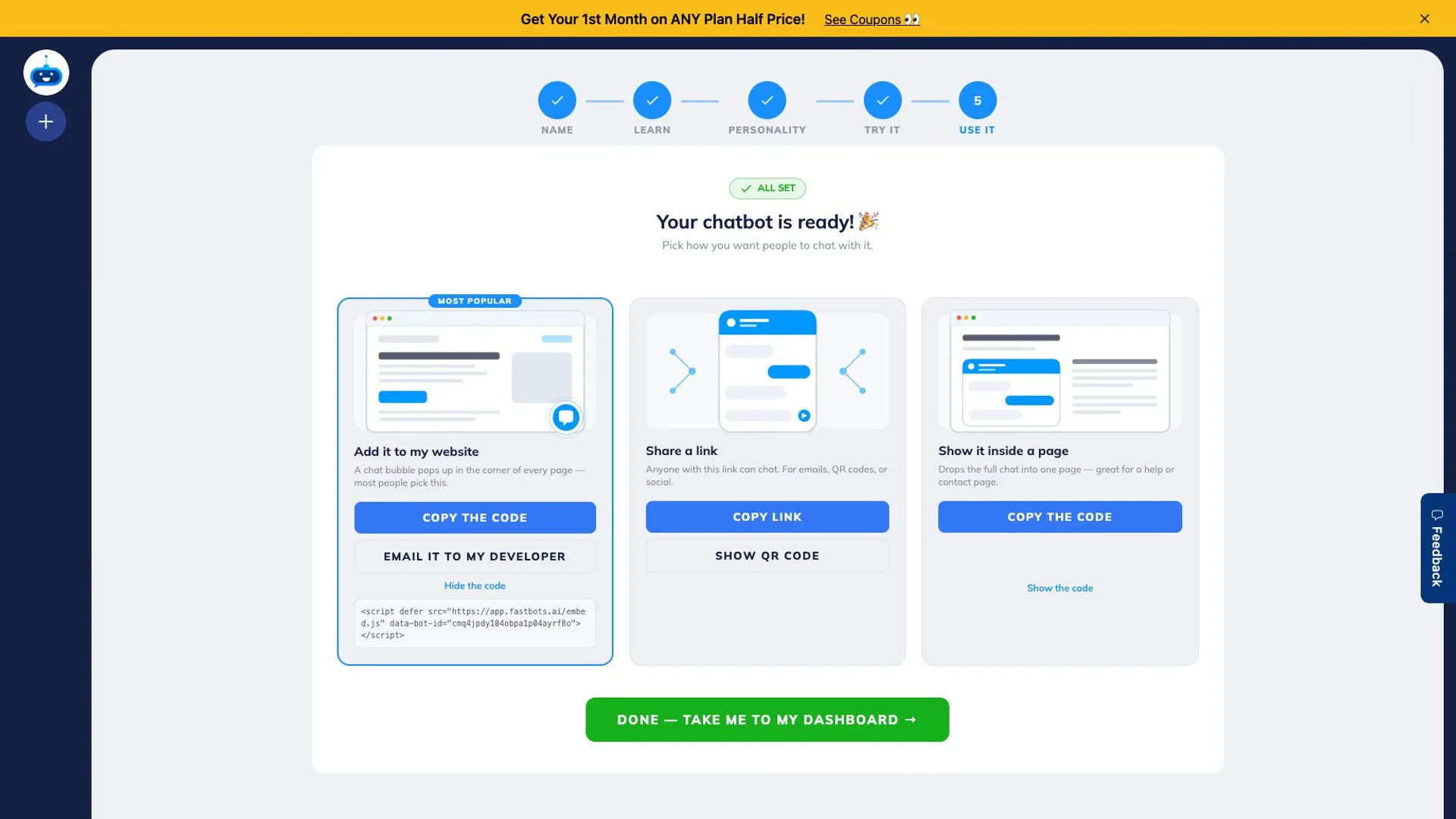
    Copy the embed code

    When the bot answers your test questions cleanly, copy the embed snippet. Send it to your web dev, or paste it into your site builder.

  7. Step 7 of 8

    Run 20 test enquiries

    Before going live, run 20 test enquiries through it. Ask a vague question, ask an urgent one, ask one with no detail. Read the briefs that land. If 18 of 20 are clean, you're ready.

  8. Step 8 of 8

    Go live and watch the first 10

    Publish the page. Watch your first 10 real enquiries. Tweak the questions if anything keeps getting missed. You'll know in a week.

How to paste the embed code on your site

Click path for the three site builders most tradies use.

Step 6 above leaves you with a code snippet to paste. Where it goes depends on what your site is built on. Below is the path for the three platforms most Australian tradies use. If your site is on something else, the pattern is similar — look for "Custom code", "Code injection", or "Embed HTML" in your site settings.

WordPress

Easiest path: FastBots has an official WordPress plugin. Search "FastBots" in your WordPress plugins screen, install it, paste your bot ID, save. The widget appears on every page.

If you don't want a plugin: copy the embed snippet, then in WordPress go to Appearance → Theme File Editor → footer.php and paste before </body>. Save. Or use a header-and-footer plugin like "Insert Headers and Footers" if you don't want to touch theme files.

Wix

  1. In your Wix dashboard, go to Settings → Custom Code.
  2. Click + Add Custom Code.
  3. Paste your FastBots embed snippet into the code box.
  4. Set "Add Code to Pages" to All pages and "Place Code in" to Body — end.
  5. Name it "FastBots" and click Apply.

Squarespace

  1. In your Squarespace site, go to Settings → Advanced → Code Injection.
  2. Paste your FastBots embed snippet into the Footer box.
  3. Click Save.
  4. Code Injection is on Squarespace's Business plan and above — check your plan first.

On Shopify, GoDaddy Website Builder, or another platform? Search the platform's help docs for "embed third-party code" or "custom HTML widget" — the snippet you paste is the same.

Common mistakes on Job 1

  • — Adding too many questions. Six is the cap. Customers tap out at seven.
  • — Letting the bot guess at prices because you didn't put the boundary text in.
  • — Going live without 20 test enquiries. The first real customer should not be the first test.
  • — Forgetting the emergency phone path. Smoke, gas, water, no power — these need a phone number, not a chat.
Try FastBots — free trial

Job 2 of 4 — Easy — 1 hour

Send booking confirms that sound human.

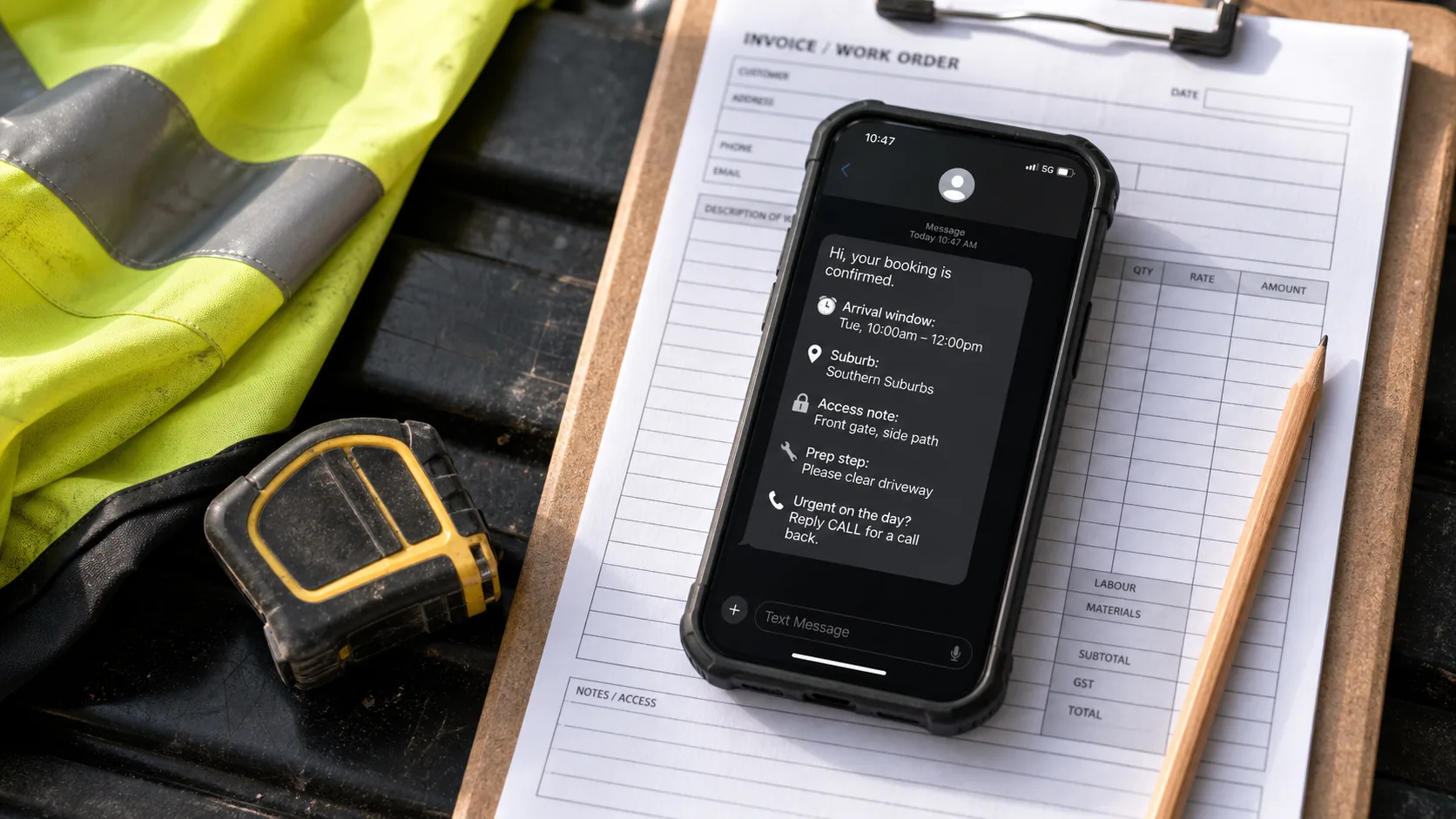
No-shows are expensive. Vague arrival windows waste the morning. The fix is a short SMS or email template the bot fills in. You eyeball it, you send it, the customer turns up ready.

Important rule: for the first two weeks, every message the bot drafts gets reviewed by a person before it sends. That's where you catch the weird stuff. After two weeks, move the templates that have been right ten times in a row to auto-send. Keep anything with a price in the review queue forever.

The template.

Use slots for the bits that change. Most tools call these merge fields.

Hi {{name}}, confirming {{job}} at {{suburb}} on {{date}}, {{window}}. Parking/access note: {{access}}. Need to change? Call {{phone}}. Cheers.

The four steps.

  1. Step 1

    Pick where the message goes from

    Most tradies use what's built into FastBots, Chatbase, or their CRM. If you don't have one yet, draft in ChatGPT or Claude and copy-paste into your SMS app.

  2. Step 2

    Build a template

    Write one template the bot can fill in. Use {{name}}, {{job}}, {{suburb}}, {{date}}, {{window}}, {{access}}, {{phone}} as the slots.

  3. Step 3

    Hold every message for review (2 weeks)

    For the first 2 weeks, the bot drafts but you send. This is where you catch the weird stuff before it gets to a customer.

  4. Step 4

    Move templates to auto-send

    Once a template has been right ten times in a row, you can let it send itself. Keep anything with a price or a hard time in the review queue forever.

Job 3 of 4 — Easy — 30 minutes

Tidy rough job notes into admin.

The paperwork doesn't get done because every job's notes arrive in a different shape. The fix is the same six headings on every job, every day. AI just reformats. The discipline is yours.

You don't need a chatbot for this. Free ChatGPT or Claude is enough. The whole loop takes five minutes per job, not fifty.

The prompt — copy this.

Use this prompt every time. Paste your rough notes underneath.

Turn these rough job notes into a run sheet with: Issue, Site access, Risk, Parts, Contact, Next action. Keep it short. Don't invent details.

Notes: [paste your notes here]

The four steps.

  1. Step 1

    Pick your AI tool

    ChatGPT, Claude, or whatever you use. The free tier is fine for this.

  2. Step 2

    Dictate or paste the day's notes

    On the drive home, talk into your phone. Or paste the messy notes from your job sheet.

  3. Step 3

    Use the same prompt every time

    Drop in this prompt with your notes pasted below it. Same six headings every job. That's the discipline.

  4. Step 4

    Eyeball before you file

    Read the output. Fix anything the AI got wrong. File it. The whole loop takes 5 minutes per job, not 50.

Job 4 of 4 — Hard — 1–2 weeks

Plug into ServiceM8, Tradify, or Xero.

Here's the honest pull on this one. The pitch for an AI chatbot in a trade business goes: the bot creates the job in ServiceM8 by itself, the booking lands in the calendar, the invoice writes itself. That's the prize. That's what makes the whole stack feel worth the trouble. Skipping straight to plug-in feels rational — why catch leads if the briefs aren't going somewhere useful?

It is the prize. It just comes last. Here's why the order matters. When Job 1 is still producing patchy briefs, the bot pushes patchy data into ServiceM8. Bad data downstream costs more time than the integration ever saved. When Job 2 is sending unreviewed messages, the bot creates customer commitments your team never agreed to. When Job 3 isn't running, the notes feeding the integration are still the same mess they were — except now they get filed automatically, which means the wrong notes get filed forever.

Plug-in is a multiplier, not a starter. If the first three jobs are solid, plug-in 10x's the value. If they're not, plug-in 10x's whatever's wrong.

When you do wire it, wire one path at a time. Map every field. Run in test mode for two weeks before going live. Write down what to do when it breaks.

The five steps.

  1. Step 1

    Don't do this in your first month

    Connect is the layer that loses tradies money. Wait until Catch is producing clean briefs every time and Confirm messages are working without complaints.

  2. Step 2

    Pick ONE system to wire first

    ServiceM8, Tradify, Xero, MYOB, a spreadsheet, or a CRM. Pick the one you already use most. Don't wire two at once.

  3. Step 3

    Use Zapier or Make to bridge

    Most chatbots don't talk to ServiceM8 directly. Zapier or Make sits in between. Map every field one-by-one. Suburb to suburb. Phone to phone. Photos to attachments.

  4. Step 4

    Run in test mode for 2 weeks

    Send test enquiries through. Check the job card in ServiceM8 against the chat brief. If anything's off, fix the mapping before you go live.

  5. Step 5

    Document what happens when it breaks

    Integrations fail silently. Write down: what to check first, who fixes it, and what the backup is (usually: send the lead to email instead). Pin it where the team can see it.

Which tool

Three picks. Pick the one that matches you.

Ten tools could do this. Three are worth your time. Pick the one that matches your audience subset. The others stay in Appendix A in case you want to compare.

Pick 01

FastBots

Pick this if — Solo or owner-operator tradies who mostly miss leads after hours.

Why — Quickest to set up. Site-trained, sensible defaults, hands leads off to email or Zapier. You don't need a CRM yet.

Not for — Bigger teams with multi-channel inboxes or a booking calendar that has to live downstream of the bot.

Inspect FastBots

Pick 02

Chatbase

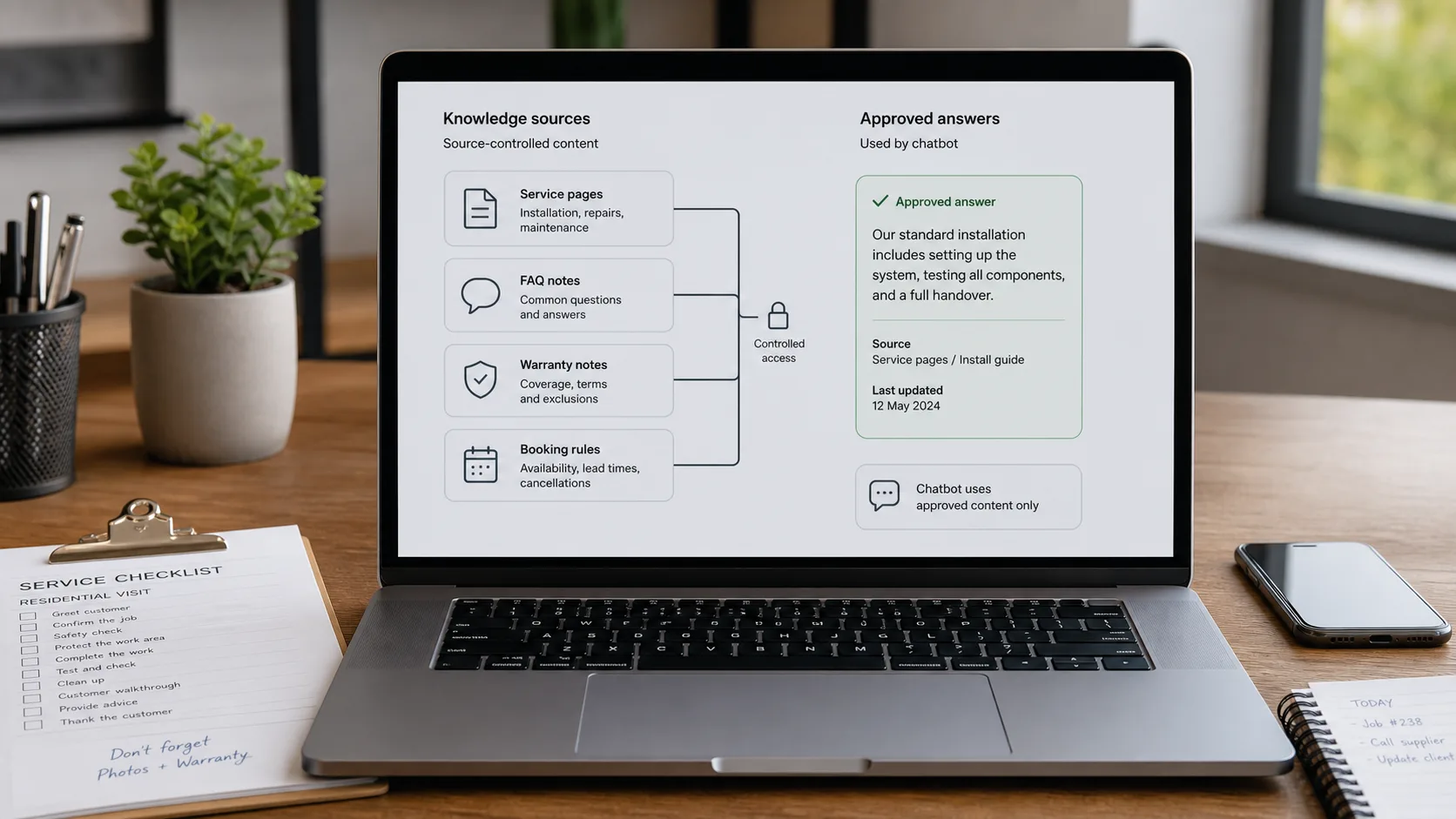
Pick this if — Tradies whose website already has multiple service pages, warranty notes, FAQ docs, and a published call-out policy.

Why — The bot learns from approved pages instead of making things up. Calendly action is handy once your team's ready to take in-chat bookings.

Not for — Thin sites with little approved content. The bot will be polite and useless.

Inspect Chatbase

Pick 03

Tidio

Pick this if — Small teams (2-5) where someone will actually work the inbox.

Why — AI plus live chat plus tickets in one place. Worth the cost when a human catches what the bot misses and lead syncing is your next step.

Not for — Solo operators who won't check the inbox. The bot's fine; the live-chat half goes to waste.

Inspect Tidio

Pricing below covers the six tools most tradies will short-list. Different tools meter different things — message credits, AI resolutions, conversations, seats, channel fees — so compare the unit before you compare the dollar.

Website and messaging tools

Pricing is only useful after you know the job.

Different meters. Recheck current pricing before buying.
Current as of 1 June 2026 - 14 June 2026

FastBots

Website AI chatbot

Website chat Small websites that want a trained chatbot without a broader AI-agent buildout.
Cheapest paid plan $33/mo annually Essential plan

Monthly: $39/mo

Includes: 2,000 message credits/mo across 2 bots; standard replies use 1 credit.

Typical price range
$0 to $399/mo; main paid plans run $39-$199/mo
What raises the bill
Message credits (1 standard reply = 1 credit; advanced models use 5-10), chatbot count, handoff, and branding gates
Check current price

Chatbase

Trainable website chatbot

Website chat Teams with help pages, files, Q&A, Notion, or support-ticket sources to manage.
Cheapest paid plan $32/mo annually Hobby plan

Includes: 500 message credits/mo, 1 AI agent, and 5 AI Actions/agent.

Typical price range
$0 to $400/mo annually; Enterprise is custom
What raises the bill
Message credits, AI agents, source limits, actions, seats, and add-ons
Check current price

Tidio

Website chat and support

Live support Stores that need live chat, AI help, and human handoff in one workflow.
Cheapest paid plan $24.17/mo annually Starter plan

Includes: 100 billable conversations/mo; Lyro AI is separate, with the first 50 conversations lifetime free.

Typical price range
$24.17/mo Starter to $749/mo Plus; Premium is custom
What raises the bill
Billable conversations, Lyro AI conversations, Flows visitors reached, and seats
Check current price

ChatBot.com

AI support workspace

Website chat Teams comparing AI agent, live chat, shared inbox, ticketing, and workflows in one Text workspace.
Cheapest paid plan $19/user/mo Essential plan

Monthly: $25/user/mo

Includes: 1 AI agent, 10 AI resolutions/mo, and 10,000 API calls.

Typical price range
$19-$79/user/mo annually; Enterprise is custom
What raises the bill
Per-user pricing plus included AI agents, AI resolutions, API calls, and workflow allowances
Check current price

Manychat

DM automation

DM / WhatsApp Instagram comments, DMs, link delivery, lead capture, and social follow-up.
Cheapest paid plan $14/mo annually Essential plan

Includes: 250 Active Contacts per month; additional contacts are usage-sensitive.

Typical price range
$0 Free; paid plans reviewed from $14/mo to $139/mo annual starting prices before tax and contact overages
What raises the bill
Monthly Active Contacts, connected channel limits, users, inbox seats, AI/add-ons, and additional Active Contact overages
Check current price

Wati.io

WhatsApp Business automation

DM / WhatsApp Businesses where sales or support enquiries already start in WhatsApp or other messaging channels.
Cost model Check current pricing Check plan, message fees, and add-ons
Typical price range
Subscription, message fees, and selected add-ons vary by account.
What raises the bill
Subscription plan, WhatsApp message fees by country/message type, chatbot sessions, automation triggers, AI add-ons, users, teams, and extra WhatsApp numbers
Check current price

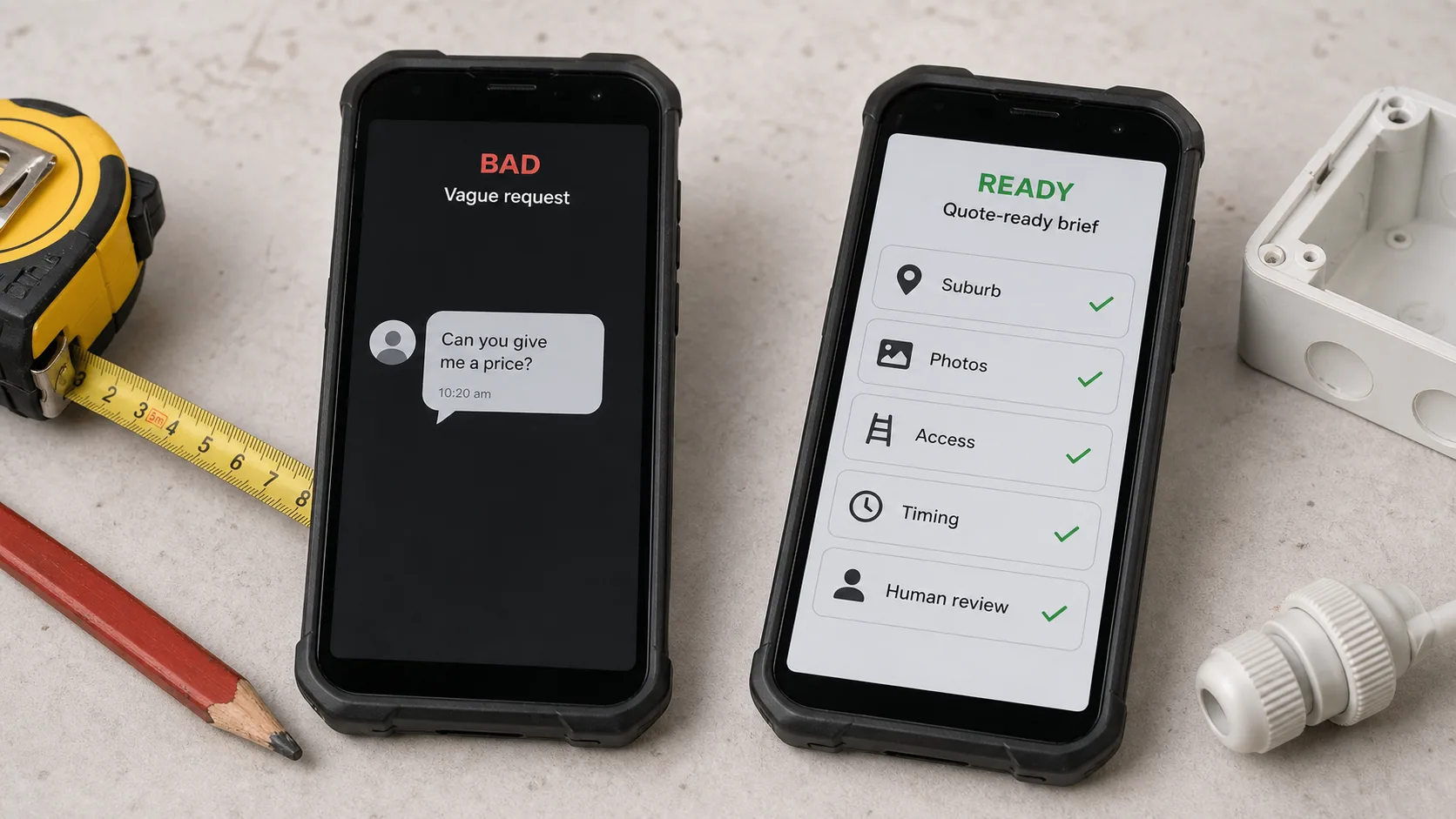
Bad vs ready

Turn a vague price message into a quote-ready brief.

The trade and suburb change. The pattern doesn't: collect the facts you'd otherwise chase, flag anything risky, hand over a clean brief before anyone talks price.

Bad enquiry

"Hey mate, can you do a power point at my apartment in Manly this week? How much?"

Why this slows the quote

  • — No access detail
  • — No photos
  • — No switchboard or wall context
  • — No parking or strata note
  • — No urgency or callback window

Quote-ready brief

Not a final quote. The minimum useful packet a Sydney sparkie can review before deciding whether photos are enough or a site visit's needed.

Job
Extra power point — electrical quote
Suburb
Manly, apartment, strata access
Access
Visitor parking unclear. Customer can meet after 4 pm. Lift OK.
Photos
Wall, switchboard, nearest outlet, access path — all requested
Timing
This week. Not safety-critical.
Quote boundary
No final price in chat. Photos and access first. May need inspection.
Next action
Send brief to sparkie. Ask for photos. Confirm callback window.

Sample transcript

Six turns to a quote-ready brief.

Customer

Hey mate, can you do a power point at my apartment in Manly this week? How much?

Bot

Probably. Let me grab the right details before the sparkie prices it. Apartment or house — and is it urgent or just a quote?

Customer

Apartment. Not urgent. Just want one near the desk.

Bot

Thanks. Can you send a photo of the wall, the nearest outlet, and the switchboard if you can find it? Any strata or parking notes?

Customer

Visitor parking's tricky, lift's fine, I'll send photos after work.

Bot

Perfect. I'll send this to the electrician as a quote brief. They'll call back and decide if photos are enough or if they need to come look. I won't quote a price in chat.

Your first 30 days

One job a week. Start with Catch.

The plan below maps onto the four jobs above — one week each. Start where the risk is low and the relief is obvious. Plug in last.

Week 1: Catch

Set up the bot. Add your six intake questions. Run 20 test enquiries. Go live by the end of the week.

Week 2: Confirm

Add a booking-confirmation template. Hold every message for review. Let the bot draft, you eyeball, you send.

Week 3: Tidy

Use the run-sheet prompt every day after knock-off. Same six headings every job. Five minutes per job, not fifty.

Week 4: Plug in

Pick one downstream system (ServiceM8, Tradify, Xero, spreadsheet, CRM). Wire it through Zapier or Make. Run in test mode for two weeks before going live.

Australian rules

Four rules that change what your bot can say.

The rules around what your bot can say are tighter here than most off-the-shelf chatbots assume. Four things matter most. None of them are hard to follow.

GST.

Quotes and invoices over $82.50 have to show GST clearly. If your bot names a price without saying whether GST's in or out, the customer can complain when the invoice arrives 10% higher. Easiest fix: don't let the bot name prices. Point it at an approved service page that already states the GST position. (ATO.)

What the bot promises is on you.

Under Australian Consumer Law, what your bot says counts. An AI-generated message has the same weight in front of a Fair Trading complaint as one your booker would have typed by hand. A made-up price, a fake arrival window, a warranty term the bot invented — these become real complaints. The rule is plain: if a person normally has to say it, a person still has to say it. The bot drafts. You sign. (ACCC on the ACL.)

Privacy and SMS.

The moment the bot collects names, phone numbers, addresses, or job photos, the Privacy Act kicks in. You need a privacy policy linked from the chat widget, secure storage, and a way for customers to ask for their data. For SMS: booking confirmations are fine — the customer's already a customer. Marketing SMS ("book your annual gutter clean") needs an explicit opt-in and a working "STOP" reply. The ACMA enforces this and the fines are real. (OAIC, ACMA.)

After-hours pricing.

Most Australian trades charge more on weekends and after 6 pm. If your bot quotes from a daytime service page on a Saturday night, the customer gets the wrong number. Either put the after-hours rate on the page the bot reads from, or have the bot ask "when do you need this?" before saying anything that looks like a price.

When it breaks

Spot these five patterns early.

Once Job 1's live, this is your weekly check. Five things to look for. Each one's a fix you can run that week.

Same lead comes in twice with different urgency.

Phone fallback and chat handoff are making duplicates.

Dedupe on number + suburb + photos before the lead hits your queue.

Lots of no-shows after the AI booking message.

The message doesn't mention suburb-specific prep (parking, building rules, pets, access).

Add a suburb + access checklist to the template. Hold confirmations for manual check.

Quotes get held up because staff has to re-check the bot's work.

The bot's collecting half-answers or vague scope.

Make the key fields required. Ask one short follow-up instead of three.

Surprise invoices, refunds, or safety calls.

The bot's doing money-sensitive stuff too early.

Keep pricing, invoicing, and safety in the human-approval queue. No exceptions until the error rate's zero for two weeks.

Nobody reads the AI's handoff notes.

Notes are too long or in the wrong shape.

Fixed headings every time: Issue, Site access, Risk, Parts, Contact, Next action.

Before you start

Five questions to answer before paying for a chatbot.

If you can't answer these in two sentences each, the bot will surface every gap. Better to write the answers down first — your bot needs them as prompts anyway.

  1. Question 01

    Can the bot get suburb, property type, and access before tagging a lead as quote-ready?

    Most failed tradie bots get the suburb but miss the strata or parking or access detail. That's what changes the quote. Get this right and the rest is easier.

  2. Question 02

    Does the urgent path push the customer to call, not chat?

    Smoke, water, gas, electrical risk — these don't wait for a callback. The bot hands over the phone number and shuts up.

  3. Question 03

    Is the service-page content current enough that the bot doesn't invent?

    Bots invent when the service pages, warranties, call-out fees, and prep notes are stale. Fix the site first, then connect the bot.

  4. Question 04

    Is there a clear human-approval point before any price or booking goes out?

    AI drafts. A person signs. If there's no named approval step, the bot will eventually send something it shouldn't.

  5. Question 05

    Does the handoff package include photos, measurements, contact, and retry plan?

    If the lead lands in your inbox as a free-text dump, the next missed call is coming. Standardise the package before wiring anything downstream.

Build by team size.

Same four jobs, sized to your team. An owner-operator should not build the same automation as a 5-person crew. Each stage lists what to build and — just as important — what to skip until the previous stage is solid.

Weeks 1-2

Solo / owner-operator

Catch more leads. Tidier briefs. Don't change your admin stack yet.

What to build

  • — Website bot with the six intake questions
  • — A daily SMS or email summary to yourself
  • — An emergency phone fallback
  • — Weekly review of the bot's misses

Skip next

Don't wire into accounting yet. Get 50 clean test briefs first.

Weeks 3-6

Small team (2-5)

Move from messy notes to repeatable bookings and quote prep.

What to build

  • — Lead handoff into ServiceM8, Tradify, email, or a spreadsheet
  • — Booking-confirmation assistant with prep reminders
  • — Job-note tidy-up from rough text/photos
  • — A board showing what the bot's missing

Skip next

Don't automate invoices or refunds yet. Keep finance manual.

Weeks 7+

Crew with recurring jobs

Same quality across every suburb you work in — without extra mess.

What to build

  • — Suburb-specific routing for travel and access
  • — Recurring follow-ups for quoted jobs
  • — Agent templates per trade and service type
  • — A fortnightly owner sign-off cycle

Skip next

Don't bolt on cross-tool automation until each template has a fail-over plan.

Starter prompts

Five prompts you can copy.

Not magic. Starting points for the bot, the admin assistant, or whatever AI tool you use. Run them on test enquiries before using them on real customers.

Quote-intake prompt

Ask the customer for suburb, job type, urgency, photos, access, property type, and a callback time. Don't give a final price. Tell them someone will review and call back.

Suburb-context prompt

Before suggesting the next step, check if suburb, parking, building type, strata, travel, weather, or timing could change the job. If anything's unclear, ask one short follow-up.

Booking-confirmation prompt

Write a short SMS confirming the job day, rough time window, suburb, access note, prep step, and phone number for urgent changes. Under 70 words. Friendly. Plain.

Job-note summary prompt

Turn these rough job notes into a run sheet with: Issue, Site access, Risk, Parts, Contact, Next action. Short. Don't invent details.

Payment-reminder prompt

Write a polite payment reminder. Include the job, due date, payment options, and contact path. Don't sound threatening.

Per-trade guides

Use the guide closest to your work.

The four jobs are the same. The questions, boundaries, and customer language change by trade. Use the trade guide closest to your work for the boundary copy.

Electricians and sparkies

Safety-sensitive enquiries, switchboard photos, smoke alarms, lighting, and quotes that need a phone path when risk's unclear.

Read the guide →

Plumbers

Leak triage, blocked drains, hot water calls, photos, access, and after-hours routing.

Read the guide →

Roofers

Storm leads, roof access, photos, insurance boundaries, urgency sorting, inspection-first quotes.

Read the guide →

Painters

Room counts, prep, photos, timing, colour questions, and estimate boundaries before a site visit.

Read the guide →

Landscapers and lawn care

Property access, recurring maintenance, photos, green-waste, weather sensitivity, site-size.

Read the guide →

Pool service teams

Recurring service, repair requests, water-quality caveats, equipment photos, backyard access.

Read the guide →

Pest control

Pest type, urgency, pets, kids, treatment boundaries, safety caveats, service area.

Read the guide →

Cleaners

Property type, rooms, recurring cleans, end-of-lease timing, access, photos.

Read the guide →

Auto repair shops

Vehicle details, missed-call capture, service-advisor handoff, photos, symptoms, bookings.

Read the guide →

FAQ

Common questions from tradies looking at AI.

Should I get an AI chatbot for my trade business?

Treat it as a job-brief assistant, not a replacement office. The wins are fewer missed leads, cleaner briefs, faster after-hours response. Pick the job first (catch leads, send confirms, tidy notes, plug in to systems), then pick the tool that fits. Don't let the bot promise prices, times, or invoices until that exact workflow's been tested.

Reviewed

Does the same chatbot setup work for plumbers, sparkies, and roofers?

The six intake questions are similar — job, location, urgency, photos, contact, callback. The boundaries change by trade. Plumbers need leak triage and after-hours routing. Painters need rooms, surfaces, prep caveats. Roofers need storm intake and claim boundaries. Sparkies need safety handoff. Reuse the questions, customise the boundaries.

Reviewed

Can an AI chatbot give my customers quotes?

Quote intake and quoting are different jobs. The bot can collect the brief (type, suburb, urgency, access, photos), share approved starting prices from a published page, and route to the office. It shouldn't make up a final price that depends on access, materials, or workload. Final prices come from you, after you've seen the brief.

Reviewed

Can a chatbot create invoices or sync with Xero, MYOB, or ServiceM8?

Treat accounting sync as a workflow you build last, not a chatbot feature. Safer setup: the bot captures the brief, sends it to the team or job-management tool, creates a draft for review. Once you approve the quote, the accounting tool (Xero, MYOB, QuickBooks) or job app (ServiceM8, Tradify) handles the formal invoice. Letting the bot create live invoices can cost real money.

Reviewed

Should I get an AI receptionist or a website chatbot first?

If the real problem is missed phone calls or after-hours spikes, an AI receptionist may help more than a website chatbot. A website bot helps when enquiries come through the site and the gap is response speed or brief quality. Many tradies use both: chatbot for website leads, receptionist or answering service for phones.

Reviewed

Does my chatbot have to follow Australian Privacy Act rules?

If the bot collects names, phones, addresses, or photos, the Australian Privacy Principles apply. In practice: a visible privacy policy linked from the chat widget, a stated purpose for collection, secure storage, and a way for customers to ask for their data. The OAIC's APP guidelines are the canonical reference.

Reviewed

Can my chatbot send SMS booking reminders without breaking the Spam Act?

Transactional messages for a job the customer's already booked are fine — they sit inside the existing relationship. Marketing SMS (like 'book your annual gutter clean') needs an explicit opt-in, a clear sender, and a working unsubscribe. The ACMA enforces this and the fines are real. Keep marketing and booking flows separate.

Reviewed

If you do nothing else

Set up Job 1 this Saturday afternoon.

Two hours, free trial, no credit card, no developer. By Sunday night your website is catching the leads you missed last weekend. Everything else on this page is a bonus.

Go to Job 1 →

Decision recap

The short version.

  • Start with Catch — if you're missing leads while on the tools.
  • Add Confirm — once the bot's getting briefs right.
  • Tidy comes next — for job notes and run sheets — even free ChatGPT is enough.
  • Plug in last — ServiceM8, Tradify, Xero, or a CRM, only after the first three are solid.
  • Inspect social/WhatsApp tools — if customers mostly message you on Instagram, Facebook, or WhatsApp.
  • Keep prices and times with you — until every workflow's been tested end to end.

Appendix A

The full ten-tool list.

Three picks above cover most tradies. This appendix lists the wider stack — website chatbots, social DMs, WhatsApp, phone attribution, phone support, CRM, and downstream job/accounting systems — with the boundary that applies to each.

Tool Use when Boundary
FastBotsWebsite quote intakeQuick site-trained assistant. Best when no team's checking the inbox.
ChatbaseSource-controlled answersGood when approved pages, FAQ docs, and policy notes do the work.
TidioAI plus live chatUseful when someone'll work the inbox.
ChatBot.comDesigned quote flowsWhen the conversation needs fixed steps and required fields.
ManychatInstagram / Facebook DMsInspect when leads start on social DMs rather than the website.
Wati.ioWhatsApp follow-upInspect when WhatsApp's the real customer channel.
CallRailPhone lead attributionUseful when missed calls and source tracking are the bigger problem.
CloudTalkPhone team layerInspect only when you have a real call team and CRM context.
Capsule / CRMLead ownershipWhere callbacks and follow-up ownership stop being memory.
ServiceM8 / Tradify / XeroJob and admin layerDownstream systems AI briefs may hand off to after testing.

Revision history

What's changed.

This is a long-running guide. Big changes are logged here so readers can see what's new.

  1. 2026-06-08

    Closed the Job 1 embed gap: added click paths for WordPress (FastBots plugin or footer.php), Wix (Settings → Custom Code), and Squarespace (Code Injection). Added a 'Saturday morning' 6-step checklist for tradies who want the fast version. Added a 'set up Job 1 this Saturday afternoon' closing callout. Rewrote 7 FAQ questions to reader-typed Google queries.

  2. 2026-06-07

    Reframed reader-first. Lead with what AI can do for your business and how to set up the easiest job. Four step-by-step setup guides — full FastBots walkthrough on Job 1, skeletons on Jobs 2-4. Australian rules collapsed into four short paragraphs. Plain English throughout (target Year 10 reading level).

  3. 2026-06-07

    Argument-shape rewrite: 12-card playbook collapsed into four layer essays. Deep Australian regulatory essay added. Tool market trimmed to three picks. Ten editorial images added (Codex).

  4. 2026-06-07

    Coined the four-layer framework (Catch → Confirm → Tidy → Plug in); restored readiness, stage plan, failure audit, prompts, mistakes, owner questions, sources.

  5. 2026-05-29

    Added Australian quoting examples for Sydney, Gold Coast, Brisbane, and Melbourne.

  6. 2026-05-23

    First published as a long-form tradie guide with 12 playbook moves, intake visual, and decision matrix.