
Law firm buyer guide

Best AI chatbot for law firms: capture the enquiry, never practice law.

A law-firm chatbot should make intake faster: practice-area questions answered from approved copy, consultation requests captured cleanly, urgent deadlines routed to the phone. It should not answer legal questions, assess cases, estimate fees, or invite anyone to describe their matter in a chat window.

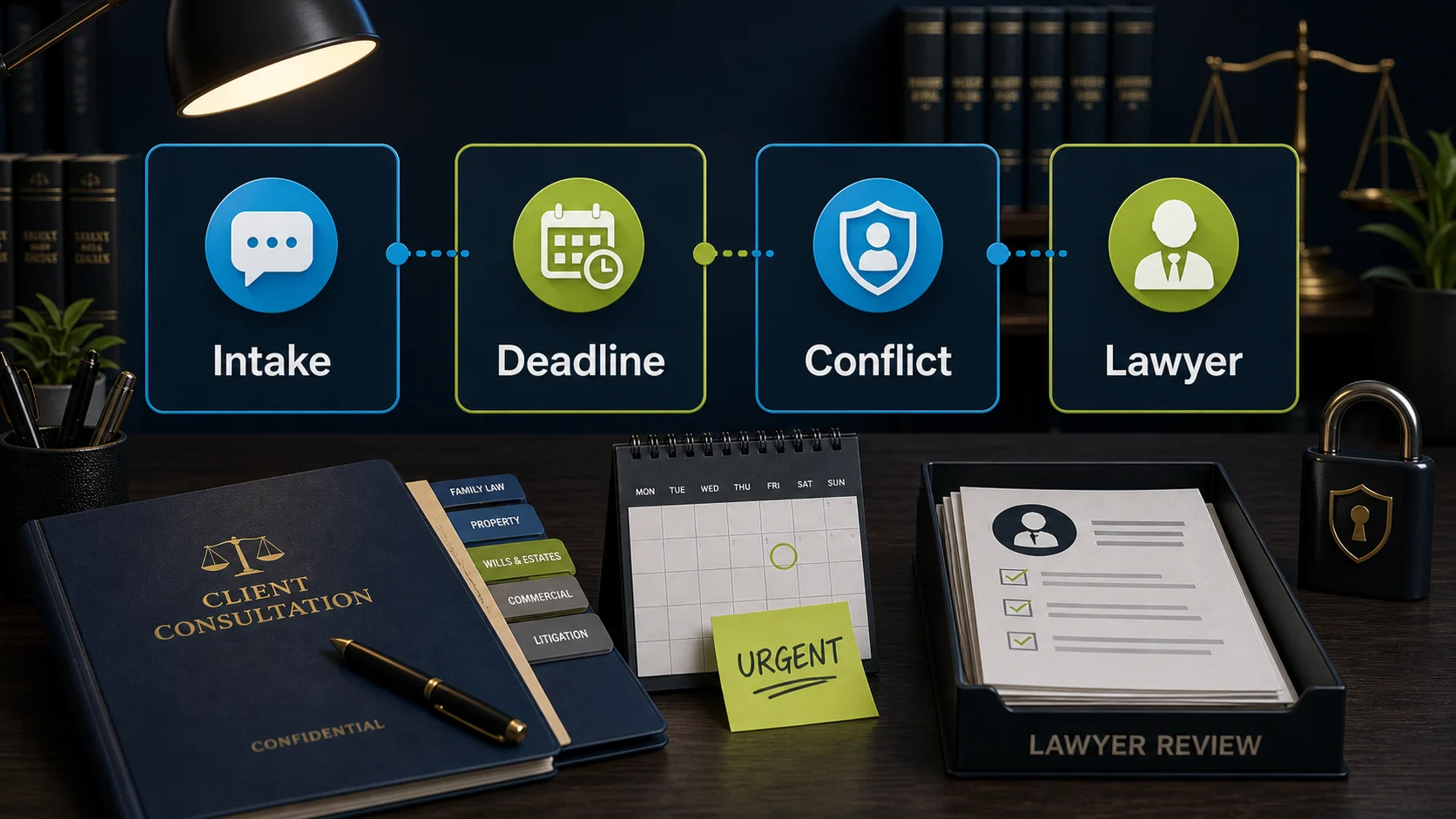
Law-firm intake desk with chatbot boundary cues for intake, deadline, conflict check, and lawyer review.

What the visitor needs

Catch the enquiry, keep the law human.

A prospective client asks at 9pm whether the firm handles employment disputes. The chatbot answers from approved copy, collects a callback request, and routes the substance to intake.

What the chatbot should collect

Need
Consultation, callback
Context
Practice area, window
Risk
Advice, fees, case detail
Handoff
Intake team, phone for urgent

Safe for the chatbot

A cleaner callback list for intake without turning the chat widget into an advice or confidentiality problem.

Needs a person or approved process

No legal answers, case assessments, fee estimates, deadline opinions, or prompting for matter detail.

Short answer

Start with FastBots if you want a simple site-trained assistant for practice-area questions and callback-request capture. Look at Chatbase if tightly controlled answers from approved firm pages matter most. Choose Tidio when the intake team should take over chats live during office hours, and ChatBot.com when a larger firm wants designed intake flows and team features.

The first win is not a bot that discusses the law. It is a cleaner callback list: who enquired, how to reach them, which practice area, in their own words — collected around the clock, including the evening and weekend enquiries that currently go to a competitor's intake form.

Law adds two boundaries most industries do not have: anything that resembles legal advice belongs to lawyers, and chat transcripts are not privileged consultations — so the bot should never invite the visitor to tell their story in detail.

Pricing snapshot

What the shortlist costs before you trial it.

One recovered consultation usually covers a year of any plan here. Compare the current range and usage unit against your enquiry volume before choosing.
Current as of 1 June 2026 - 7 June 2026

FastBots

Website AI chatbot

Website chat Small websites that want a trained chatbot without a broader AI-agent buildout.
Cheapest paid plan $33/mo annually Essential plan

Monthly: $39/mo

Includes: 2,000 message credits/mo across 2 bots; standard replies use 1 credit.

Typical price range
$0 to $399/mo; main paid plans run $39-$199/mo
What raises the bill
Message credits (1 standard reply = 1 credit; advanced models use 5-10), chatbot count, handoff, and branding gates

Check current price

Chatbase

Trainable website chatbot

Website chat Teams with help pages, files, Q&A, Notion, or support-ticket sources to manage.
Cheapest paid plan $32/mo annually Hobby plan

Includes: 500 message credits/mo, 1 AI agent, and 5 AI Actions/agent.

Typical price range
$0 to $400/mo annually; Enterprise is custom
What raises the bill
Message credits, AI agents, source limits, actions, seats, and add-ons
Check current price

Tidio

Website chat and support

Live support Stores that need live chat, AI help, and human handoff in one workflow.
Cheapest paid plan $24.17/mo annually Starter plan

Includes: 100 billable conversations/mo; Lyro AI is separate, with the first 50 conversations lifetime free.

Typical price range
$24.17/mo Starter to $749/mo Plus; Premium is custom
What raises the bill
Billable conversations, Lyro AI conversations, Flows visitors reached, and seats
Check current price

ChatBot.com

AI support workspace

Website chat Teams comparing AI agent, live chat, shared inbox, ticketing, and workflows in one Text workspace.
Cheapest paid plan $19/user/mo Essential plan

Monthly: $25/user/mo

Includes: 1 AI agent, 10 AI resolutions/mo, and 10,000 API calls.

Typical price range
$19-$79/user/mo annually; Enterprise is custom
What raises the bill
Per-user pricing plus included AI agents, AI resolutions, API calls, and workflow allowances
Check current price

Law firm workflow

The bot should make intake faster, not braver.

A useful law-firm chatbot is an intake and routing layer, not a lawyer, fee calculator, or conflicts checker. It separates routine firm questions from the advice, confidentiality, and engagement decisions that need professionals and firm process.

What matters most

What matters for law firms

A quick read on what matters for this buying decision.
Practice-area and process questions Core job
Consultation-request capture Intake relief
After-hours enquiry capture Missed-call leak
Urgency routing to the phone Deadlines
Human handoff Trust
Legal answers or fee promises Never automate

Choose the right layer

Website chatbot, booking link, or practice system?

Intake language blurs three different jobs. Keep enquiry capture, consultation scheduling, and matter management separate before choosing a tool.
01

Website layer

Firm website chatbot

Best for practice-area descriptions, consultation terms the firm publishes, office logistics, and capturing callback requests with a short self-described matter summary.
  • Practice FAQs
  • Consult requests
  • Office logistics
  • Callback path
02

Scheduling layer

Consultation booking link

Useful when prospects should book a consultation slot through a scheduling tool the firm already trusts, after intake has done its screening.
  • Consult slots
  • Screening first
  • Reminders
03

Practice layer

Practice management and conflicts

Needed when the workflow touches matters, conflicts checks, client records, documents, billing, or trust accounting — confidentiality and professional obligations live here.
  • Conflicts check
  • Matter records
  • Documents
  • Billing

Shortlist

Which tool should you check first?

Current ChatbotEdge-reviewed tools that fit law-firm website work. Practice-management, conflicts, and document systems are a separate category this guide does not score.

Lead capture

FastBots

Simple intake capture

Start here if

Firms that want a simple site-trained assistant for practice-area questions, office logistics, published consultation terms, and callback-request capture.

Before you choose

Treat it as intake plus follow-up by staff. Do not frame it as legal guidance, case screening, or anything that invites visitors to describe their matter in detail.
Check FastBots

Answer control

Chatbase

Source-controlled answers

Start here if

Firms that want tightly controlled answers from approved pages — practice areas, process explanations, consultation terms — so the bot describes rather than improvises.

Before you choose

Source control reduces wrong answers; it does not make an answer legal advice the firm can stand behind. Keep matter substance routed to lawyers.
Check Chatbase

Handoff

Tidio

Inbox and handoff

Start here if

Intake teams that want AI answers plus live chat with operating-hours behavior, so a person can take over qualified conversations during office hours.

Before you choose

Inbox handoff is the strength; keep fee estimates, case assessments, and deadline opinions out of automated replies.
Check Tidio

Flow design

ChatBot.com

Designed flow capture

Start here if

Larger or multi-office firms that want designed intake flows, saved attributes, and team workspace features around prospective-client enquiries.

Before you choose

Designed flows collect cleaner requests, but per-user pricing scales with seats and flows are not proof of practice-management integration.
Check ChatBot.com

Consultation-request flow

From prospective client to useful handoff.

Collect enough context for intake to respond faster, then stop before the chatbot becomes a lawyer, fee schedule, or conflicts checker.
01 Visitor asks

A prospective client lands

The visitor asks whether the firm handles their kind of matter, what a consultation costs, how the process works, or whether someone can call them back — often after hours, often anxious.

02 Bot collects

Capture the consultation-request brief

Ask for name, contact details, practice area, and a one-line description of the matter in the visitor's own words — without prompting for names of other parties, dates, or case detail.

03 Boundary check

Keep the law and the fees human

The chatbot can describe services and process from approved copy, but legal questions, case assessments, fee estimates beyond published consultation terms, and deadline judgments stay with lawyers.

04 Handoff

Route to intake

The intake team gets a clean callback list, urgent matters get the phone number immediately, and nothing that resembles advice or representation happens in the chat window.

What the chatbot should collect

The questions that make follow-up cleaner.

Practice-area question

The visitor asks whether the firm handles family law, employment disputes, conveyancing, or their specific kind of matter.

Answer from approved practice-area copy and offer a callback. If the firm does not handle it, say so and stop — a wrong yes wastes everyone's time.

Consultation request

The visitor wants to talk to a lawyer and asks how consultations work and what they cost.

Share published consultation terms only, then collect name, contact, practice area, and preferred time for intake to confirm. No fee estimates for the matter itself.

Case detail offered

The visitor starts describing their dispute: names, dates, what the other party did.

Politely redirect to a callback without prompting for more. Chat transcripts are not privileged consultations, and detail belongs after the conflicts check.

Urgent deadline

The visitor mentions a court date, a notice they just received, or anything time-barred.

Show the phone number immediately and route to intake as urgent. The chatbot must never opine on whether a deadline matters or how much time is left.

Existing-client question

A current client asks about their matter, documents, or invoice.

Route to the responsible lawyer or the client portal. Matter information never goes through a public chat widget.

Setup checklist

Set the rules before the first after-hours enquiry.

Define minimal intake fields: name, contact details, practice area, and a one-line matter description in the visitor's own words — with instructions not to prompt for parties, dates, or detail.

Write approved wording for practice areas, consultation terms the firm publishes, office hours and locations, languages, and what happens after an enquiry.

Add practice-area pages, process explainers, and the firm's published consultation terms as training sources; exclude anything with client or matter information.

Tell the chatbot to route, not advise: no legal answers, no case assessments, no fee estimates, no deadline opinions, no conflict-of-interest judgments.

Add a visible disclaimer that the chat is not legal advice and does not create an attorney-client relationship — and check your own bar or law-society rules on chat wording.

Send transcripts to the intake inbox and test practice-area answers, urgent-deadline wording, case-detail redirection, after-hours behavior, and handoff failures before expanding automation.

What the chatbot should not decide alone

Safe first jobs, and what a person should keep.

The safest law-firm chatbot gathers contact details and answers from approved firm copy. It should not touch legal judgment, fees, conflicts, or matter information.

Safe first jobs

Collect consultation-request details

Name, contact details, practice area, preferred callback window, and a one-line self-described summary of the matter.

Answer approved firm FAQs

Practice areas, published consultation terms, office hours, locations, parking, languages, and what happens after an enquiry — from approved copy.

Route urgent and substantive matters

Court dates, notices, deadlines, case detail, and existing-client questions go to the phone or intake team immediately.

Keep with a person

Anything that is legal substance

Whether the visitor has a case, what they should do next, what a notice means — professional judgments that belong to lawyers, full stop.

Fees and engagement

Fee estimates for a matter, billing arrangements, retainers, and engagement decisions need a lawyer who has actually scoped the work.

Conflicts and confidentiality

Conflicts checks, privilege questions, and anything involving the other party's identity need the firm's process, not a widget.

Do not automate first

  • Legal questions, case assessments, or next-step recommendations — even hedged ones carry the firm's name.
  • Fee estimates beyond the consultation terms the firm already publishes on its site.
  • Deadline or limitation-period opinions; urgency always routes to the phone.
  • Inviting or collecting matter detail — parties, dates, narratives — before a conflicts check has happened.
  • Existing-client matter information, documents, or billing detail through a public chat widget.
  • Engagement or representation language; most firms add an explicit no-attorney-client-relationship disclaimer to the chat, and bar rules in your jurisdiction may shape the wording.

Specialist systems

When a chatbot is not enough.

If the real problem is conflicts checking, matter management, document automation, or client communication at scale, that is practice-management software territory — a website chatbot only solves the first step of that funnel.

We kept this shortlist to tools ChatbotEdge can describe from official sources. None of them are practice-management, conflicts, or document systems, and we do not claim otherwise.

A practical split: the website chatbot captures and qualifies the enquiry; the firm's intake process owns screening and conflicts; the practice system owns matters and billing. If missed phone calls are the bigger leak than website chats, fix that first — the lead-capture guide covers the phone-layer split.

Sources checked

What this guide is based on.

Product details change. Check current vendor docs before giving a chatbot any role beyond intake and approved-copy answers, and confirm chat disclaimers and data handling against your own professional-conduct rules.

For the wider decision, the small-business chatbot picks page maps every starting point, the affordable chatbots guide compares entry prices, and the appointment-booking guide covers the calendar-specific claims.

FAQ

Law firm chatbot questions.

What should a law firm automate first with a chatbot?

Start with intake logistics, not law: what areas the firm practices, how consultations work and what they cost if the firm publishes that, office hours and location, and capturing a callback request — name, contact details, practice area, and a one-line description of the matter in the visitor's own words. That gives the front office a cleaner callback list without the chatbot giving advice or inviting case detail. Keep legal questions, fee estimates beyond published consultation terms, deadline assessments, and anything that reads like representation out of the chat window.

Reviewed

Can a law firm chatbot answer legal questions?

No — and the boundary should be drawn tighter than most firms expect. A chatbot can describe the firm's practice areas, process, and consultation terms from approved copy, but answering a visitor's legal question, assessing their case, or suggesting what they should do edges toward legal advice from an unsupervised system, with the firm's name on it. The standard pattern is strict: describe services, capture the enquiry, and route the legal substance to a lawyer. Most firms also add a visible disclaimer that the chat does not create an attorney-client relationship — wording your own bar rules may shape.

Reviewed

Are law firm chatbot conversations confidential?

Treat them as not privileged and design accordingly. A website chat with an automated widget is generally not a protected attorney-client communication, and transcripts typically pass through the chatbot vendor's infrastructure. The practical consequences: do not invite visitors to describe their matter in detail, keep intake to contact details plus a short self-described summary, say clearly that the chat is not confidential legal consultation, and check where the vendor stores transcripts before connecting any tool. Detailed facts belong in the consultation, after the conflicts check — not in a chat log.

Reviewed

How do I pick an AI chatbot for a small business?

Pick by the job before you pick by the vendor. Write down the first lost conversation in plain English — missed enquiries from service pages, repeat product questions, DMs that go unanswered, support replies that pile up overnight, or quote requests that need a person. Then match the surface: a website chatbot for site pages, a social-DM tool for comments and DMs, a WhatsApp tool for WhatsApp follow-up, a support-workspace tool when tickets and team inbox matter. Only after the job and surface are clear should you compare plans, pricing units, and handoff. The [small-business chatbot plan picker](/guides/chatbot-plan-picker-small-business) walks through the same sequence.

Reviewed

Decision recap

Pick a law firm chatbot: the short version.

  • Start with FastBots — if the firm wants simple practice-area answers plus callback-request capture from approved copy.
  • Check Chatbase — if tightly controlled answers from approved firm pages are the main concern.
  • Check Tidio — if the intake team wants to take over qualified chats live during office hours.
  • Check ChatBot.com — if a larger or multi-office firm needs designed intake flows and team features.
  • Route to the phone — for deadlines, notices, case detail, fees, existing clients, and anything that is actually a legal question.