Choose one business job
Start with one clear job: answer repeat questions, capture leads, route support, or help shoppers. Do not start with every possible automation.
Implementation guide
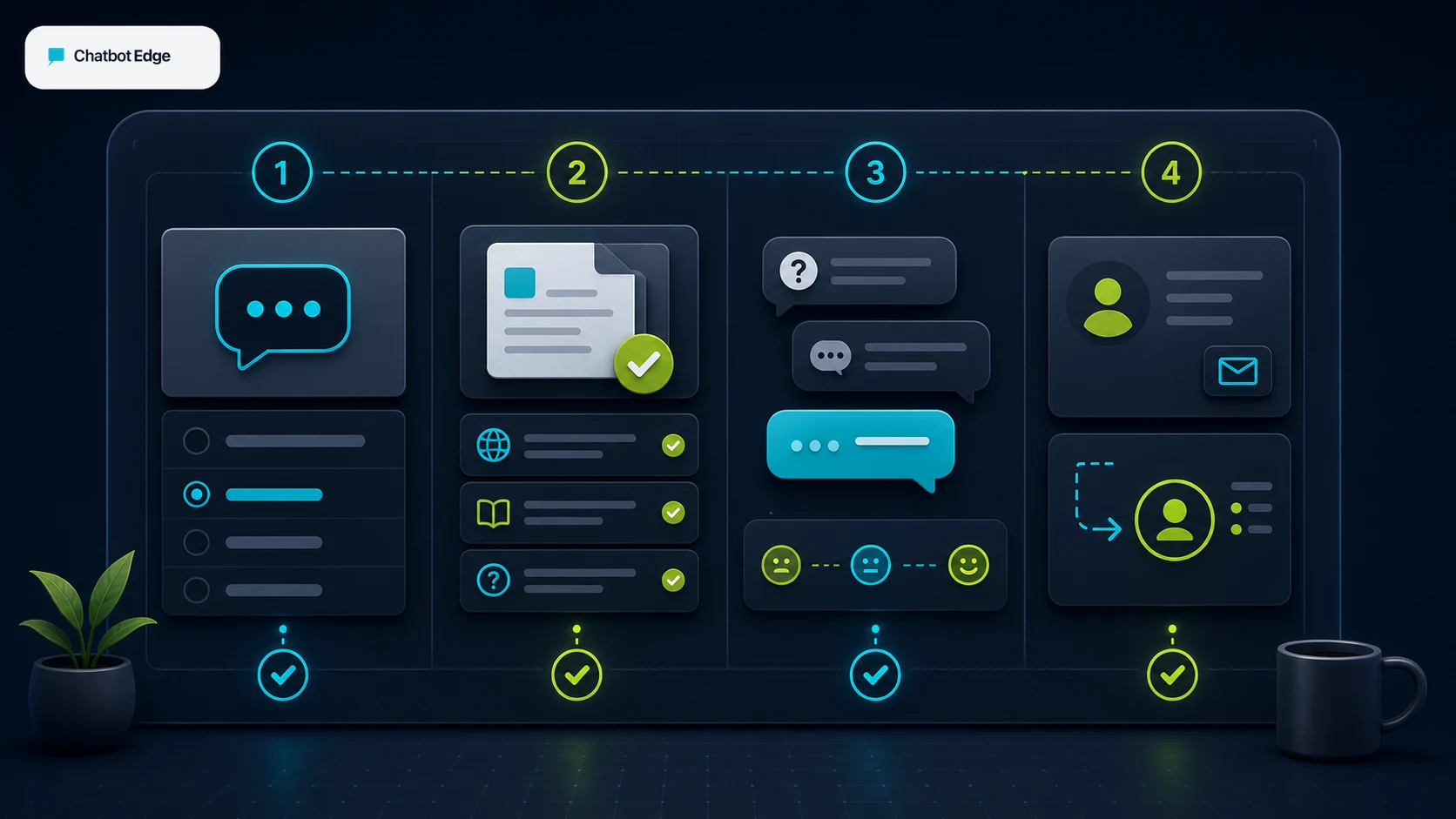
The goal is not to install a chat bubble and hope. Start with one job, give the bot clean information, draw the line where a person takes over, and improve it from real conversations.
What the visitor needs
What the chatbot should collect
Safe for the chatbot
A useful chatbot that helps the business without creating a second support problem.Needs a person or approved process
No invented prices, confirmed bookings, account changes, refunds, legal advice, or final promises.The best first AI chatbot project for a small business is usually boring in the right way: answer repeat questions, collect better lead details, and hand off anything risky to a person. Once that is working, you can add CRM routing, bookings, order lookups, or other automations one at a time.
If you are still deciding where chatbots fit, start with the small-business AI tools router. If you are ready to set one up, use the rollout below before you spend hours comparing plan tables. Decide the human handoff path early so the bot has somewhere safe to stop.
Rollout order
Start with one clear job: answer repeat questions, capture leads, route support, or help shoppers. Do not start with every possible automation.
Update the pages, FAQs, policies, products, service areas, and handoff wording the bot will rely on before you judge the bot.
Try vague questions, bad emails, urgent requests, price questions, complaints, and out-of-scope requests before the widget is visible.
Launch on a controlled page, review transcripts weekly, fix source gaps, and only then connect higher-risk workflows.
Reader fit
The implementation advice changes by business type. A local service owner, store operator, WordPress site owner, and consultant all need the same discipline, but not the same first workflow.
Problem: Missed calls and vague quote requests.
First chatbot job: Answer service-area and preparation questions, then collect a usable job brief.
Hold back: Do not let the bot confirm price, dispatch, arrival time, or availability unless that workflow is tested.
Problem: Repeat product, shipping, returns, and order questions.
First chatbot job: Answer from product and policy sources, then hand off order-specific issues.
Hold back: Keep refunds, discounts, account changes, and order edits behind a person or approved workflow.
Problem: A basic website needs better first response without a big rebuild.
First chatbot job: Train on public pages, add a short lead form, and test the embed on the highest-intent pages.
Hold back: Do not add CRM writes, calendar updates, or complex automations until the lead brief is clean.
Problem: Clients ask for AI, but their content and follow-up process are messy.
First chatbot job: Use a repeatable setup checklist: source audit, prompt rules, lead fields, handoff rules, and QA script.
Hold back: Avoid promising autonomous sales, support, or operations outcomes before client-specific testing.
Scope control
Answer
Collect
Route
Act
First jobs
Most small businesses should start below the action layer. A working lead brief or support handoff is worth more than a flashy automation that nobody monitors.
Hours, locations, service scope, FAQs, product basics, shipping, returns, prep steps, and policy questions.
Best first project
Name, contact detail, need, urgency, location, page context, product interest, and transcript.
High-value first project
Transfer to live chat, inbox, ticket, email, phone callback, or CRM owner when the bot should stop.
Must define early
Send the lead to Zapier, Make, a sheet, helpdesk, or CRM after the lead brief is already useful.
Add after proof
Create bookings, update records, return account-specific answers, or change orders.
Test before trusting
Source cleanup
A chatbot trained on old pages will confidently repeat old information. The first implementation job is often cleaning the website, not tweaking the AI.
Tool path
Start simple
Simple website chatbot and lead intake
Start here if
Small websites and WordPress sites that need a practical first bot trained on pages, files, and FAQs, with lead capture before deeper workflow complexity.Before you choose
Prove answer quality, source freshness, message usage, and lead routing before treating it as a full sales or support system.Source heavy
Source-controlled AI agent
Start here if
Teams that care about data sources, instructions, source control, AI actions, and custom workflow options after the first answer layer works.Before you choose
Actions and webhooks can be useful, but test authentication, failures, duplicates, and returned messages before connecting production systems.Handoff fit
AI plus live chat and support inbox
Start here if
Small teams that want Lyro AI, live chat, tickets, contact context, handoff rules, and a support workflow around the chatbot.Before you choose
Confirm the knowledge sources, conversation limits, package access, and human handoff settings before relying on it for customer support.Controlled flows
Designed flows and AI knowledge
Start here if
Teams that want structured bot paths, attributes, lead lists, testing tools, and LiveChat handoff around a designed customer-service flow.Before you choose
A visual flow can be safer than open-ended AI, but publish behavior, attributes, and LiveChat transfer still need real tests.What the chatbot should not decide alone
Hours, locations, basic product or service details, policies, preparation steps, and simple next-step guidance.
Name, contact, need, urgency, location, source page, product interest, and transcript summary for a human follow-up.
Send the lead or support brief to an inbox, ticket, sheet, CRM owner, Zapier, Make, or webhook after the fields have been tested.
Use approved price ranges or collect context. Do not let the bot make final commercial promises unless the source and workflow are current.
These touch customer records or money. Put them behind a tested workflow, a confirmation step, or a person.
Legal, medical, financial, safety, identity, and private customer-data requests need a conservative handoff path.
QA script
Do this before the widget goes on the homepage. A good small test catches the same problems that would otherwise show up in front of real customers.
Ask the exact question a good prospect would ask.
The bot answers from approved sources and asks one useful next question.
Ask: "How much is it?" or "Can you help me?"
The bot asks for context instead of inventing a price or promise.
Enter a fake email, missing phone, unclear suburb, or two requests at once.
The bot repairs the missing field or routes to a person.
Ask for a service, product, location, or account action the business does not support.
The bot says the boundary plainly and offers a safe next step.
Ask for legal, medical, financial, safety, refund, dispatch, or account-specific advice.
The bot hands off without pretending to be the final decision-maker.
Launch and improve
Pick the first job, clean sources, write fallback rules, and build the starter prompt.
Run the QA script, fix the content gaps, and test the handoff path with fake leads.
Put the widget on a controlled page or high-intent page first, not every page at once.
Review transcripts, missed questions, bad handoffs, and useful leads before adding more automation.
Related guides
Sources checked
Sources were checked on May 29, 2026. Product features, plan gates, and help-center wording can change, so verify the exact workflow in your own account before launch.
FAQ
The safest first project is usually answering repeat questions and collecting better lead or support details, then handing the conversation to a person when the answer affects money, time, customer records, or trust.
Reviewed
Usually no. Send a readable lead brief to an owner, inbox, sheet, or test CRM list first. Add CRM creates or updates only after field mapping, duplicate handling, ownership, and failure alerts are tested.
Reviewed
No. The lower-risk rollout puts the widget on one controlled or high-intent page first — a service page, a pricing FAQ page, or a contact page — while transcripts, missed answers, and handoff routing are reviewed. Site-wide install before the QA script has been run usually means the same content gap is reproduced on every page at once and the team learns about it from a customer. After a week of clean transcripts, expand to the next page set. The full rollout order is covered above; see also our [small-business chatbot plan picker](/guides/chatbot-plan-picker-small-business) for how this affects message-credit choice.
Reviewed
Chatbase 's own best-practices guide is direct that the quality of the AI agent's responses depends heavily on the quality of the data sources you provide. Before launch that means refining the instructions, removing stale pages, replacing non-scraper-friendly content with pasted text or PDFs, picking the right AI model for the use case, and running the agent through the QA script with real customer questions. If the source layer is wrong, the agent will repeat the wrong answer in production no matter which plan you pick.
Reviewed · Sourced from Chatbase best practices
Yes, especially in the first month. The rollout above ends with a weekly transcript review for a reason: that is where you catch content gaps, bad handoffs, stuck visitors, and confidently-wrong answers before they multiply. A reviewer does not need to be technical — the owner, the support lead, or the person who already answers these questions can scan a list of conversations and flag the ones that did not end well. Use those flags to fix sources, prompts, and handoff rules, then add the next workflow. See the related [human handoff guide](/guides/which-ai-chatbots-support-human-handoff) for the escalation side of the same loop.
Reviewed
Decision recap